With well over 100 significant improvements, Basecamp 5 is faster, simpler, and more capable than ever before. We’ve packed 22 years of experience into the best version of Basecamp we’ve ever made. Here are some highlights.
Basecamp 5 is all new for 2026
See what’s new in Basecamp 5
I am loving Basecamp 5. All the updates have been amazing. I especially love that Markdown is now a first-class citizen in Basecamp docs. I’m finding myself writing much more in Basecamp, I love it.Saalik Lokhandwala
I just want to say I LOVE this app, and don’t know much about what has changed since I didn’t have BC4. I run a video production company, and this has changed my life.Tom Miller
I like everything about BC5, looks so good, is so fast, subtasks, the Everything folder and many more things I really like. I needed only 15 minutes to get used to it and find everything. Very well done!Dirk Middeldorf
A new action-oriented home screen
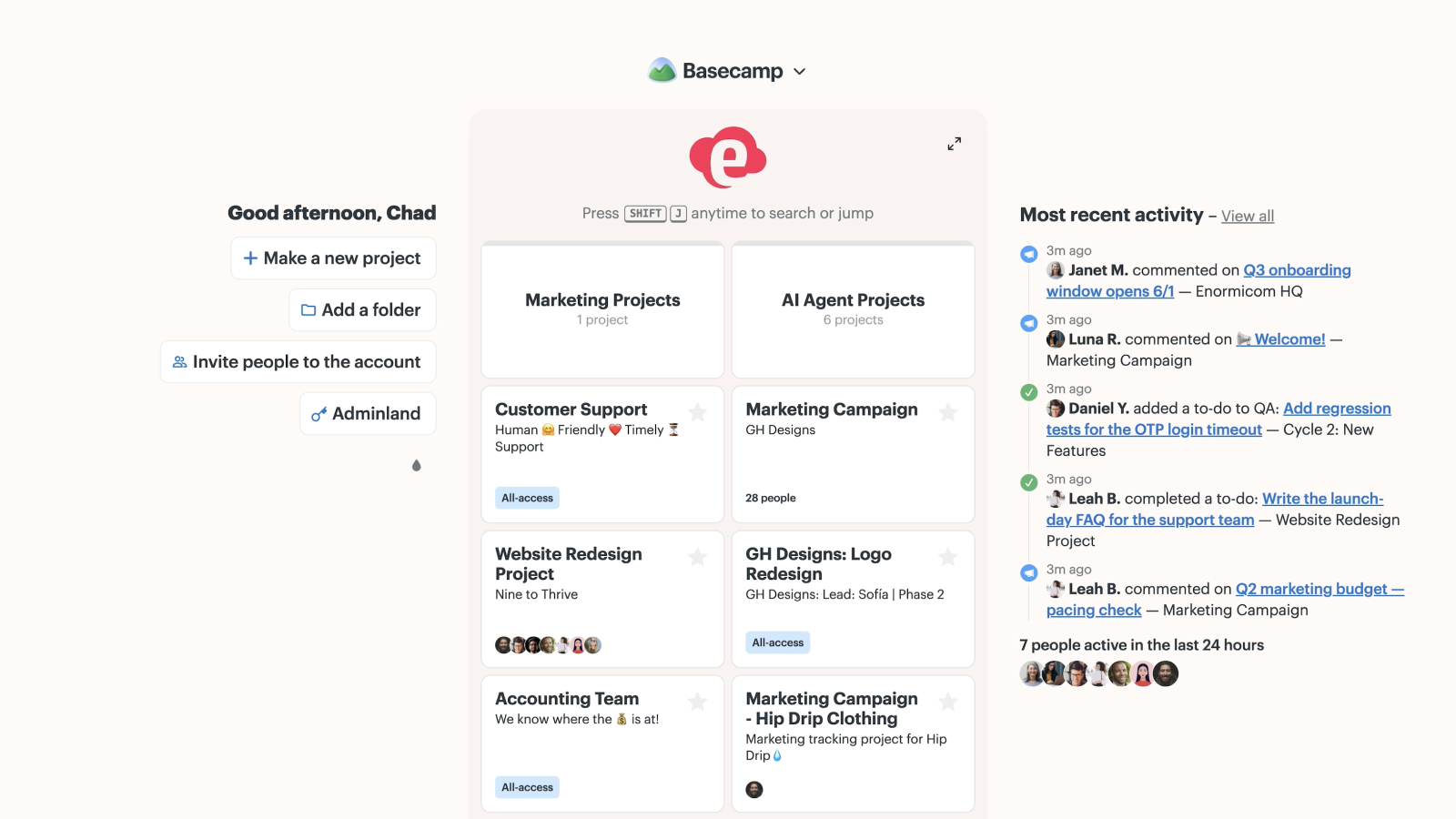
Rather than just being a launchpad to get you into a project, the new home screen shows you recent activity on the right, shows you projects you’ve recently visited right down the center, and gives you instant access to create new projects, invite new people, and handle all administrative tasks. Reorganized, reprioritized, and miles better than what came before.
Notifications and pings that live alongside your work
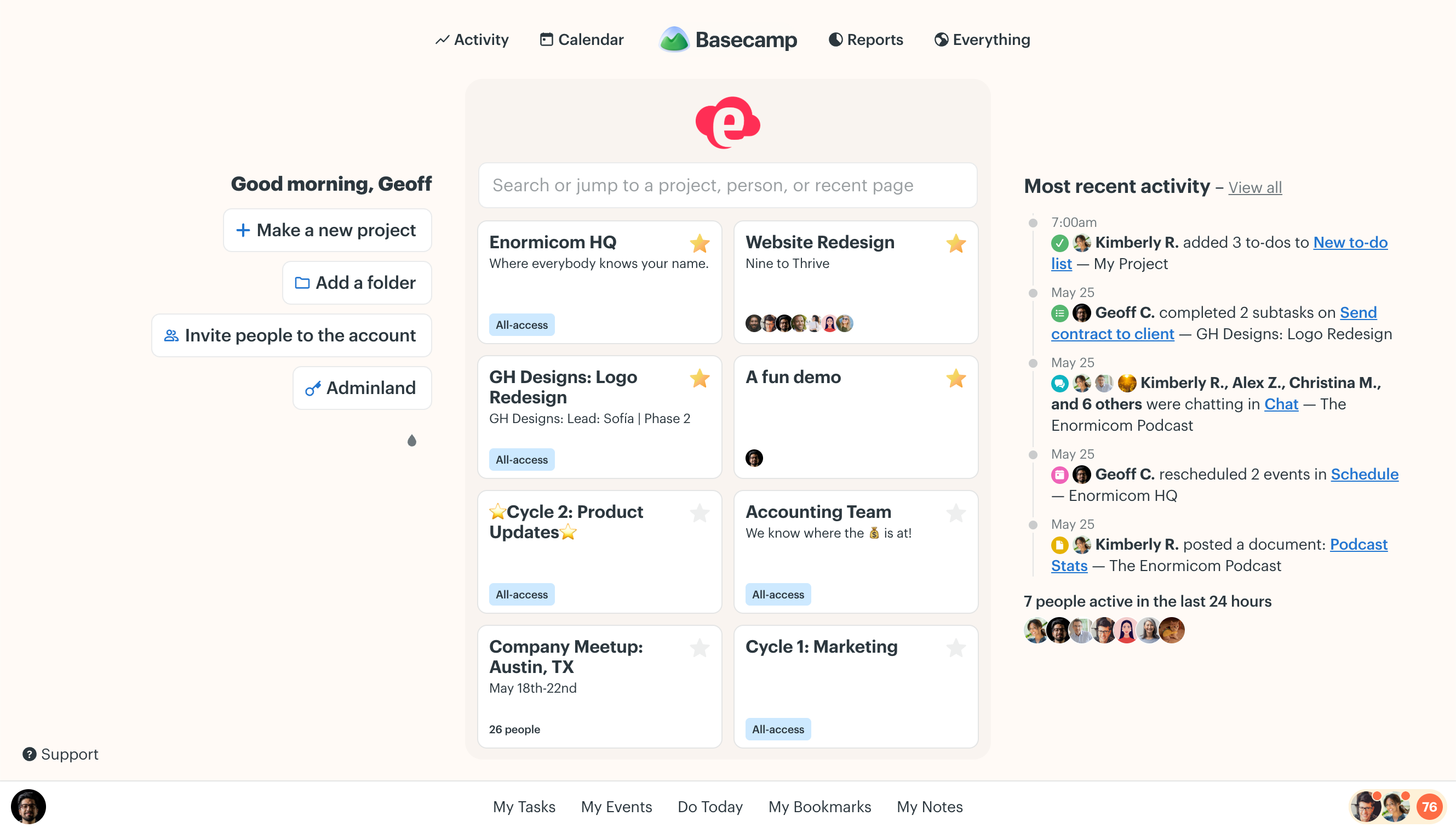
The all-new New For You sidebar contains all your notifications and pings. Keep it open, hide it away, you’re in control. Now you can check a notification or direct message a colleague without leaving where you were. And you can take a quick peek without moving your mouse, too. SHIFT+S opens it, keyboard arrow keys navigate it. A massive experience upgrade.
Vastly improved search plus live filtering
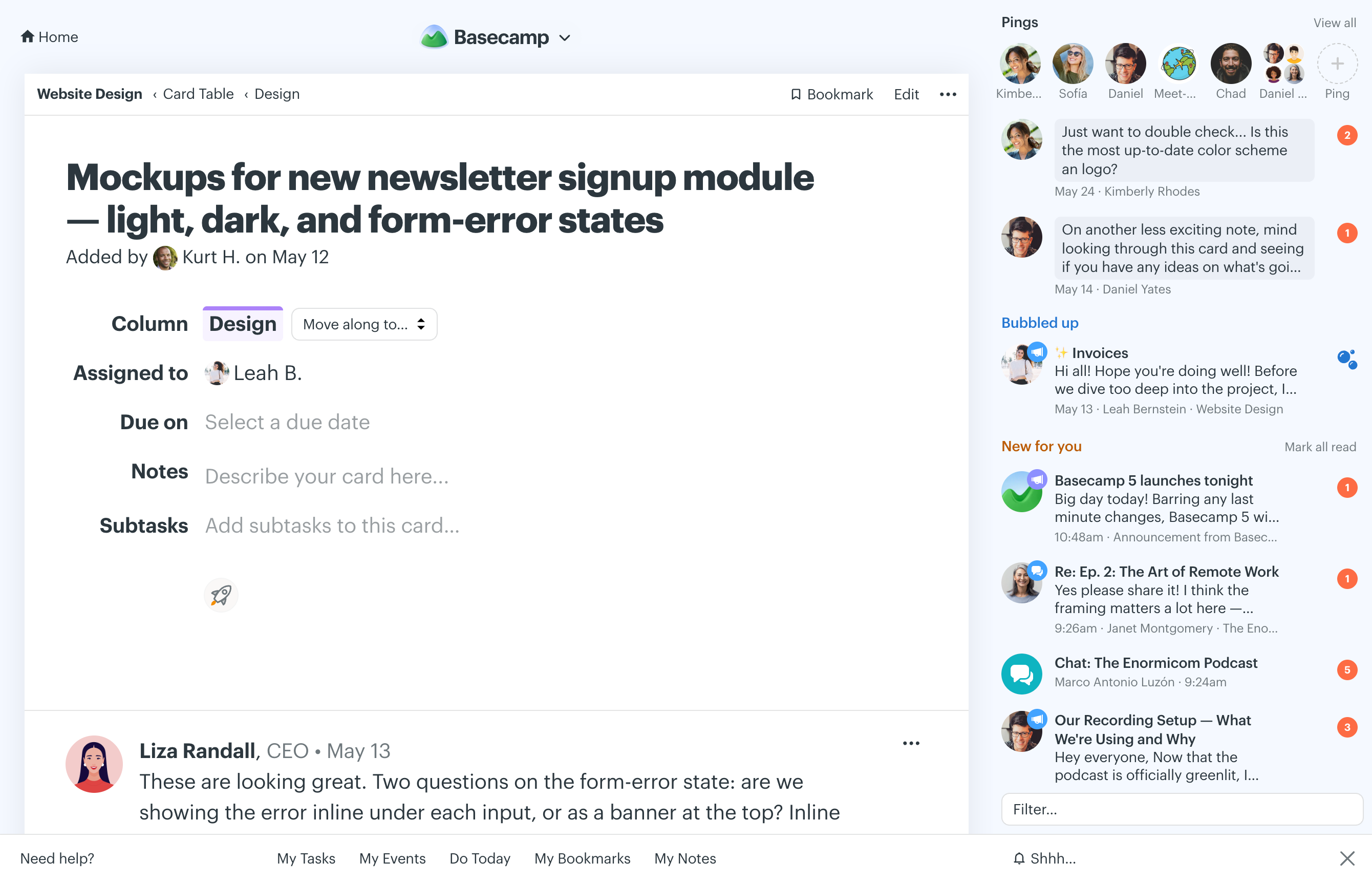
We’ve revamped the tech behind search so it’s faster and significantly more accurate. Plus, we’ve added a live filter field to nearly every major screen so you can type a few characters and see the screen you’re looking at narrow down in real-time to exactly what you’re looking for. So much better.
Global and project-based calendars
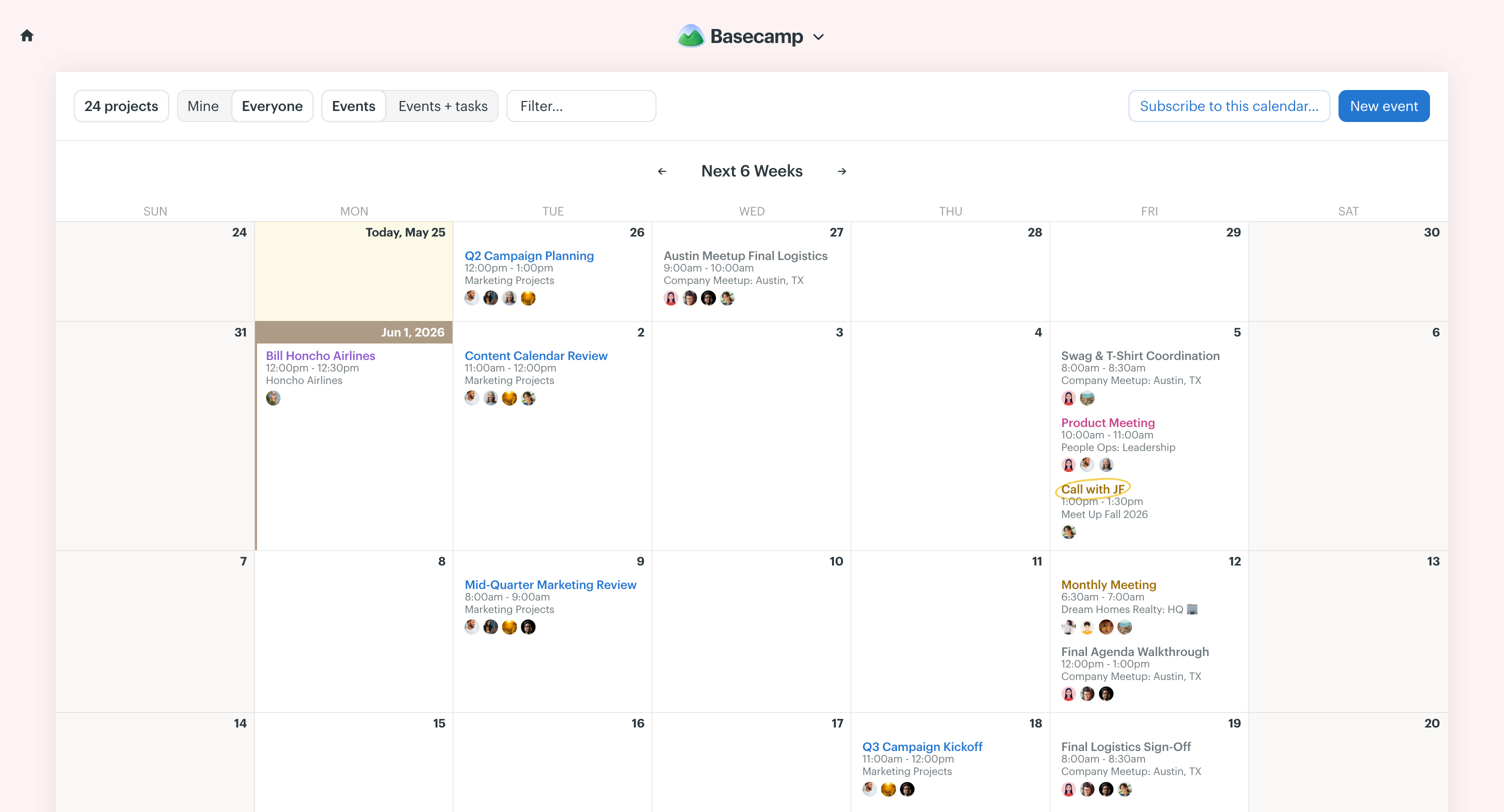
A top customer request, Basecamp 5 now features a full-blown full-screen calendar at the global level and one for each individual project. View all projects on a single calendar, just a few, just your starred projects, or just into one. Subscribe to your Basecamp calendar in whatever other calendar app you use as well. Spanned events, repeating events, even to-dos and task assignments show up on the calendar. Quickly just view stuff you’re involved with, or see all events for everyone.
LOVE the update to BC5. I’ve been dreaming of sub-tasks.Ali Parmelee
Just a quick note to say I’m loving Basecamp 5! Thank you all so much for the upgrade. The always-on search is such a timesaver and I love the right New For You sidebar.Pamela Boboc
Congratulations on the wonderful BC5 release. It’s incredible.Haz Johnson
Updated API, a new CLI, Skills, and AI agent ready
We’ve refreshed and extended the API, added a CLI, built out Skills, and fundamentally upgraded Basecamp so it’s ready for the next wave of AI agents. Get full access to Basecamp through the command line, or with your favorite AI agent. ChatGPT, Claude, Codex, OpenCode, Cursor — all are welcome.
All new text editor with tables and Markdown
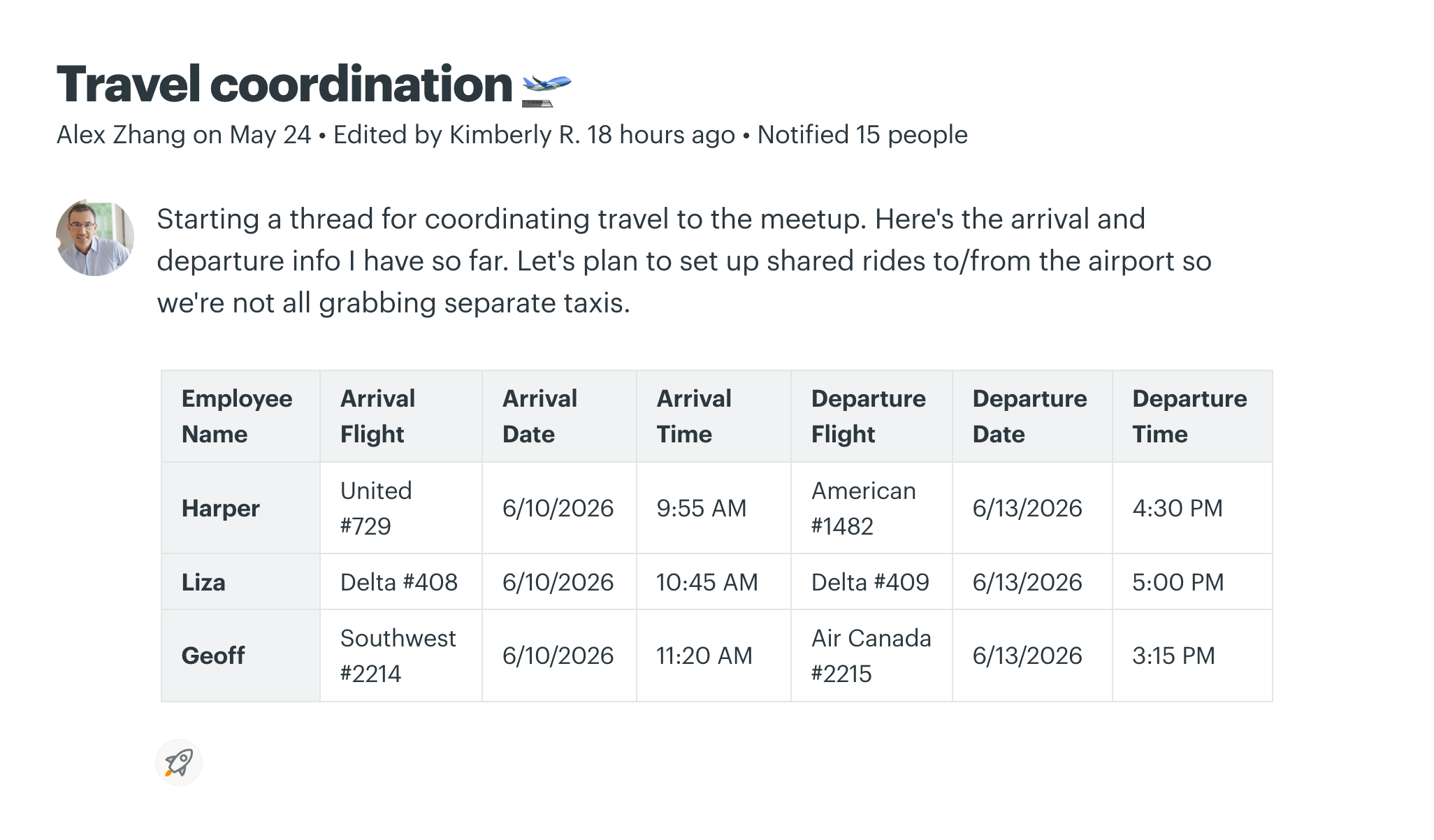
Another top request: Now you can create basic tables wherever you can post messages, documents, or comments. Plus, we offer Markdown support so you can type in Markdown format or paste in Markdown-formatted text and have it be converted to fully stylized text inside Basecamp. This is especially useful when pasting in Markdown-formatted text from LLMs. Code blocks are auto-formatted and color coded as well.
Voicenote support everywhere you can type
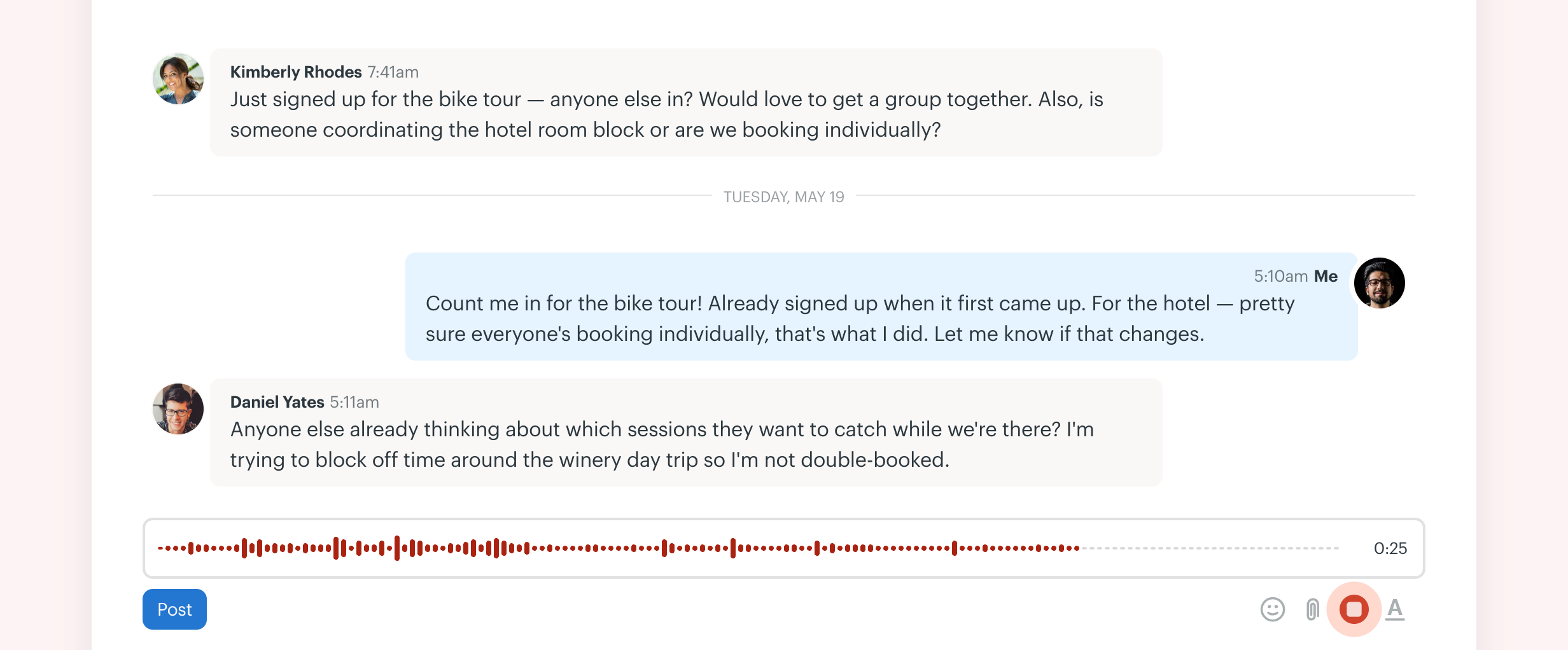
Yet another top customer request. Now you can record and leave voicenotes in posts, documents, comments, chats, and pings. Hit record, say your bit, listen back, redo it if you want, post when you’re ready. So nice.
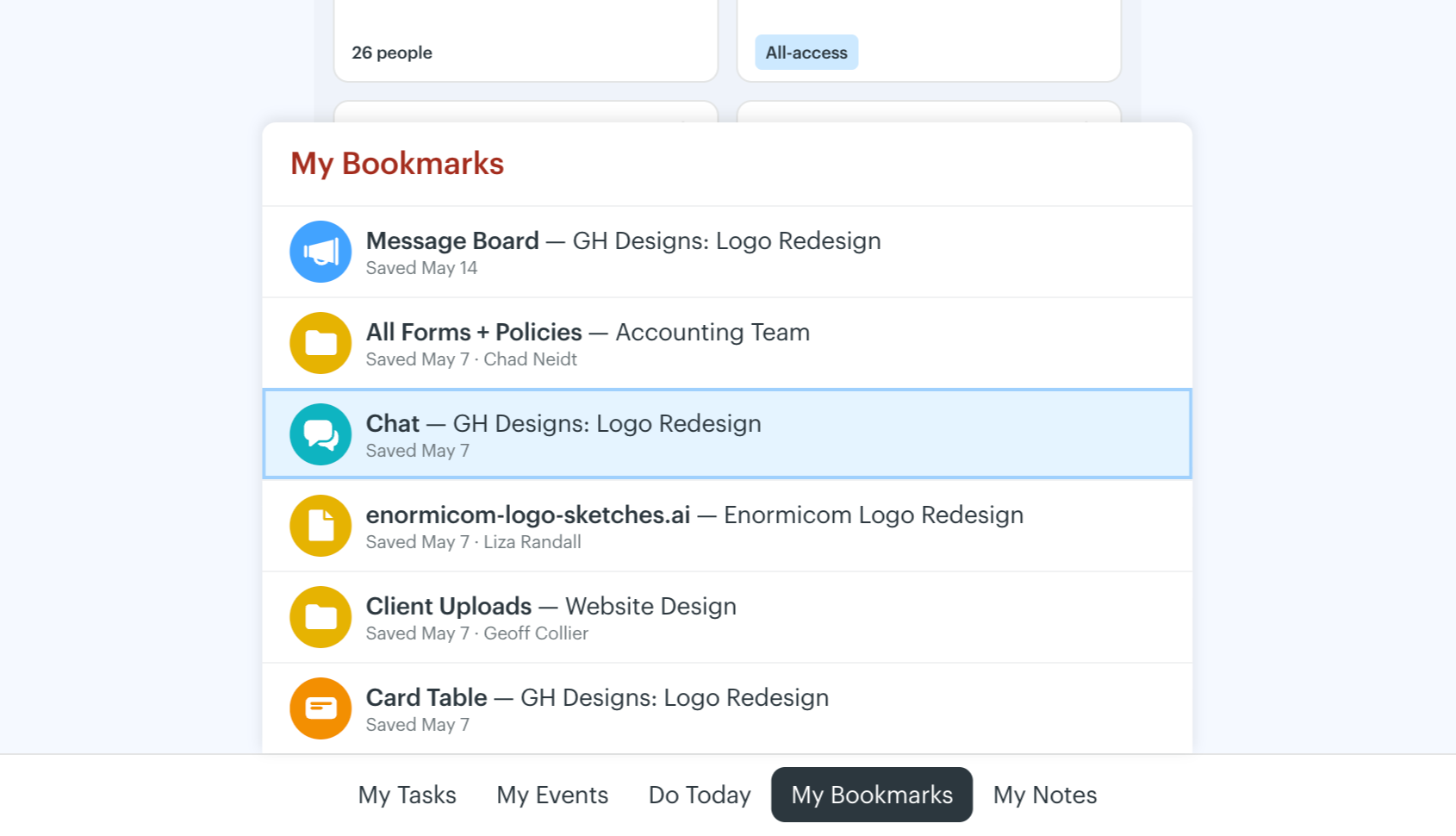
All new “My Bar” with instant access to tasks, upcoming events, and bookmarks
The old “My Stuff” menu required you to leave where you were to see your assignments, upcoming events, bookmarks. The new “My Bar” gives you instant access to all that stuff no matter where you are, and you never have to leave what you’re looking at. It’s a game changer.
Congrats on the Basecamp 5 launch! Massive updates, and I definitely am loving the keyboard shortcuts.Elena
You did incredible work, it’s fabulous. As you might know, you are the Premium Standard reference for any web application around hundreds of dev teams world wide. Well earned. Many thanks and a big round of applause!Magnus Rembold
I’m loving the new update! Just wanted to say congratulations and I’m excited to continue taking it for a test drive!Michael DelaCruz
Upcoming event reminder highlights
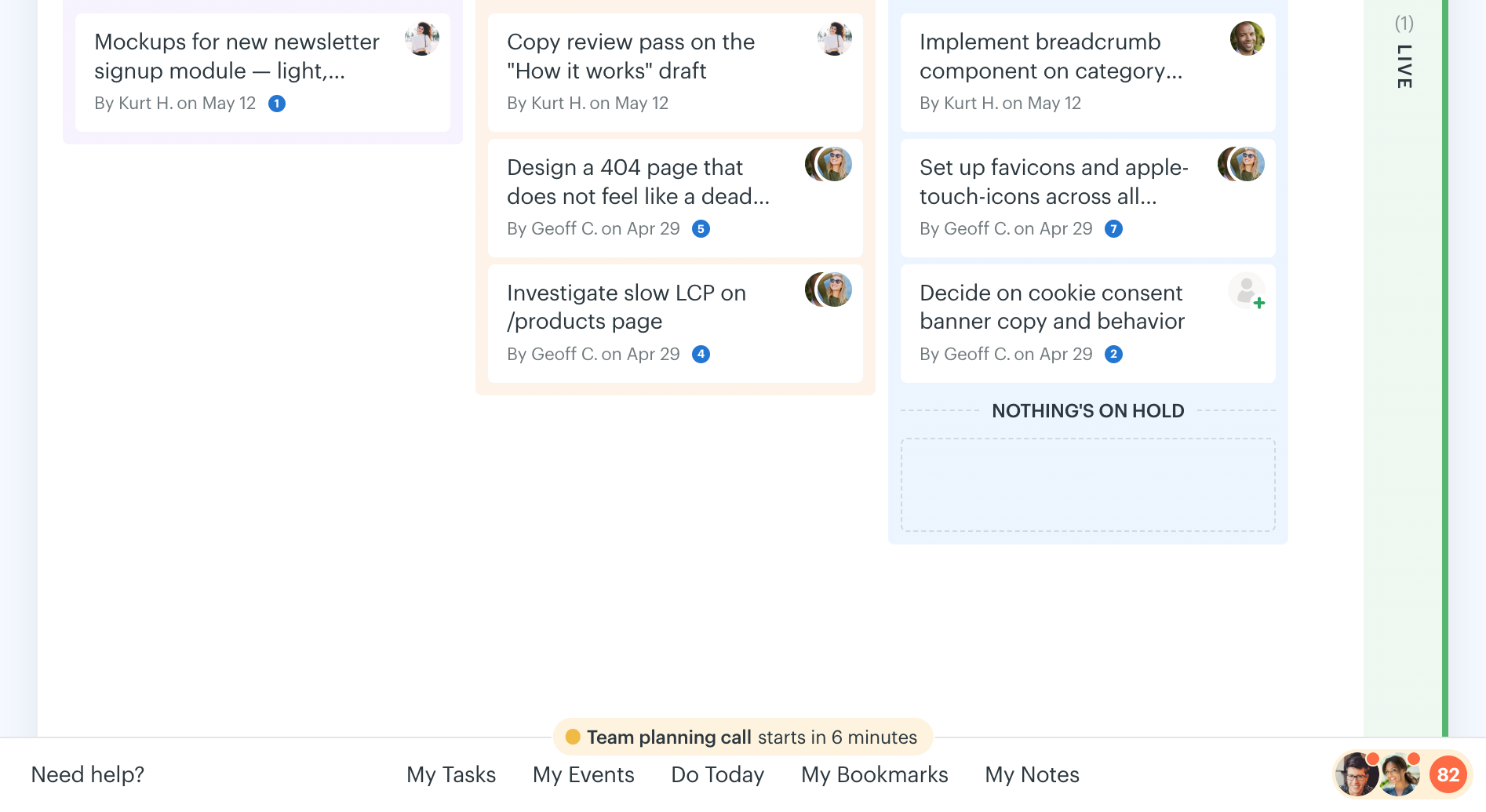
Got a meeting or event coming up in the next 15 minutes? Basecamp will now show you a little reminder at the bottom of the screen. A little peripheral vision nudge so you don’t miss anything. And if there’s a Zoom or Teams (or whatever) video link to join, it’ll give you an instant-join button as well. Finally, the closer the event gets, the greener the color shifts. We’ve thought of everything so you don’t miss anything!
Bubble Up notifications, pages, and comments later
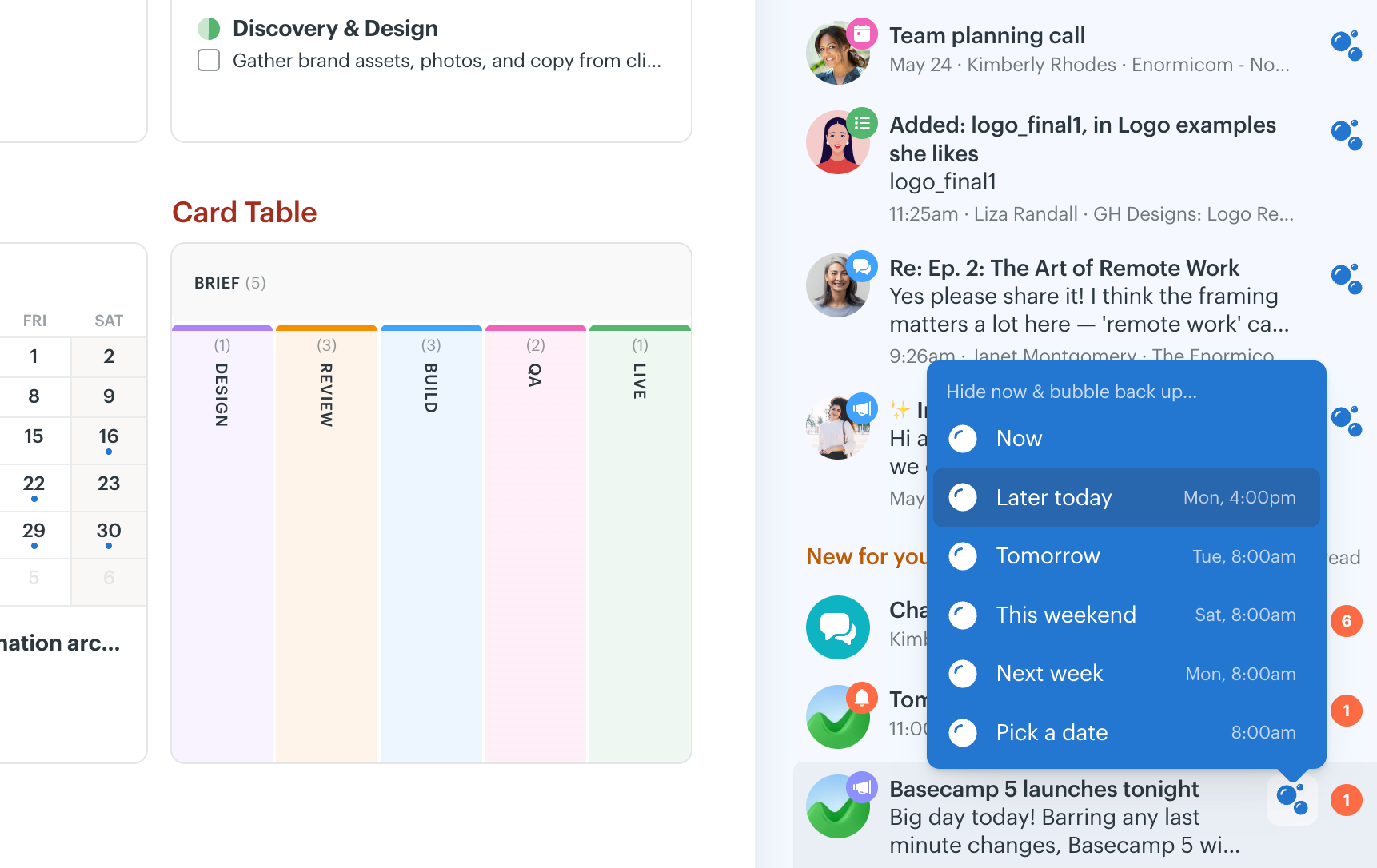
Get a notification you want to respond to, but you don’t have time now? Just mark it to Bubble Up later. Could be later today, tomorrow morning, later this week, next week, whatever. When the time comes, it’ll show back up in your New For You sidebar. You can also bubble up comments, posts, or most other things in Basecamp. One of HEY’s most popular features comes to Basecamp!
Loose to-dos and subtasks on to-dos
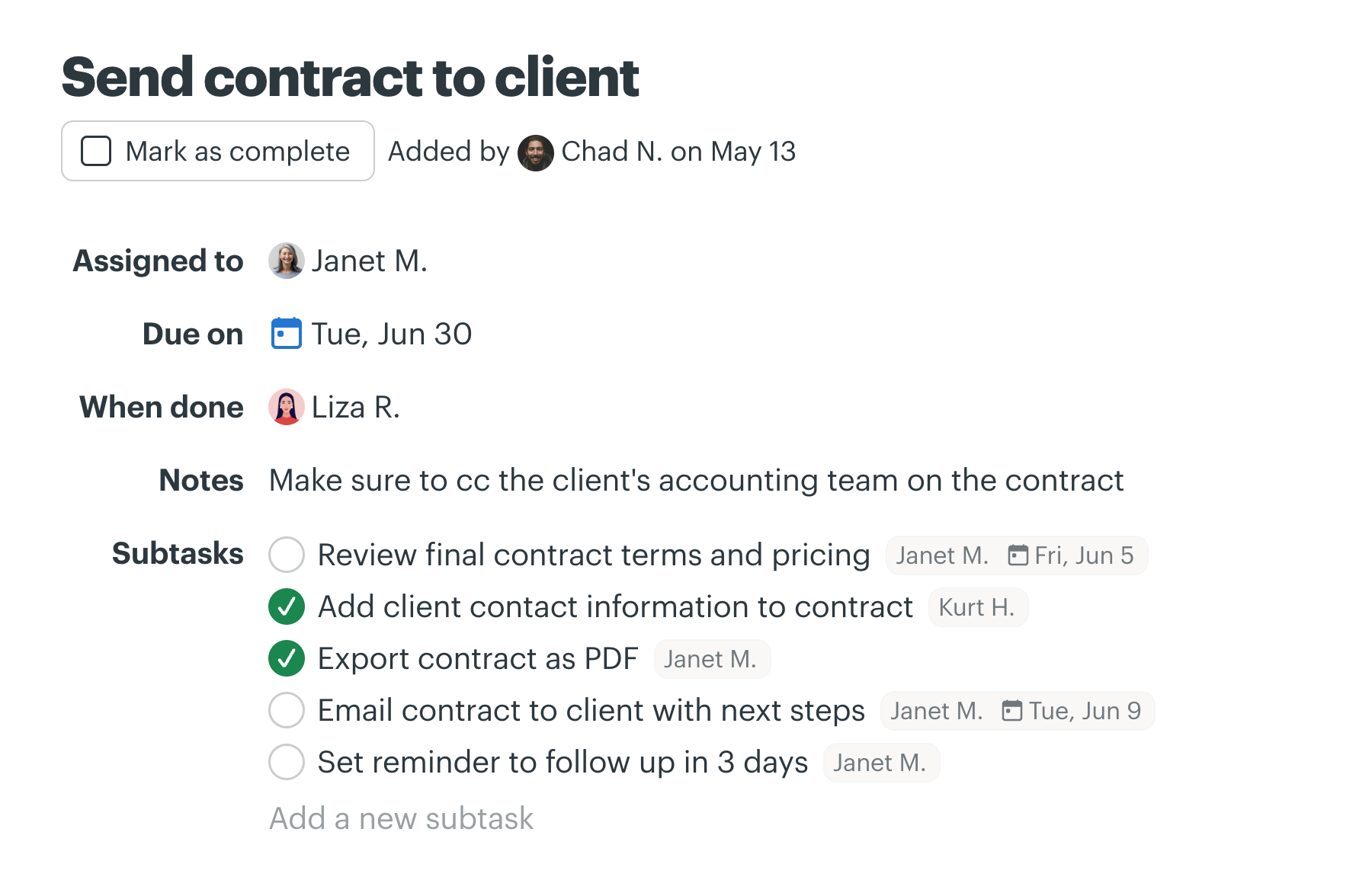
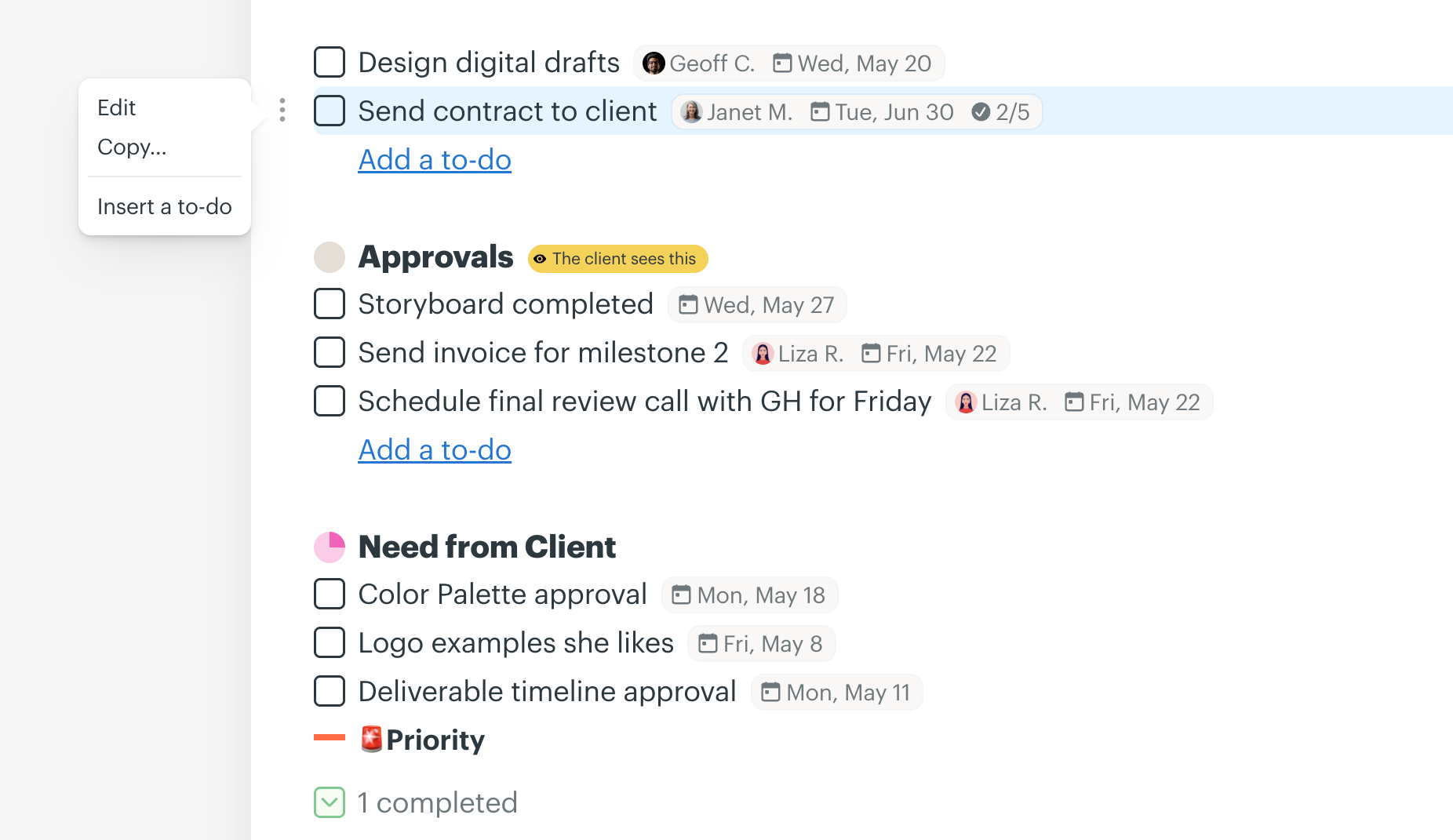
Want to just add some to-dos but don’t want to have to categorize them on a list? Find that overhead unnecessary? No problem! Now you can just add “loose to-dos” that appear at the top of the to-do list page, but are unattached to any list. Drag them into a list later if you want. Or drag any to-do on a list out into the loose area if you aren’t sure where it belongs yet. Further, now you can add subtasks to to-dos. This was a big customer request, and we’re proud to deliver.
All new Everything pages for account-wide aggregation
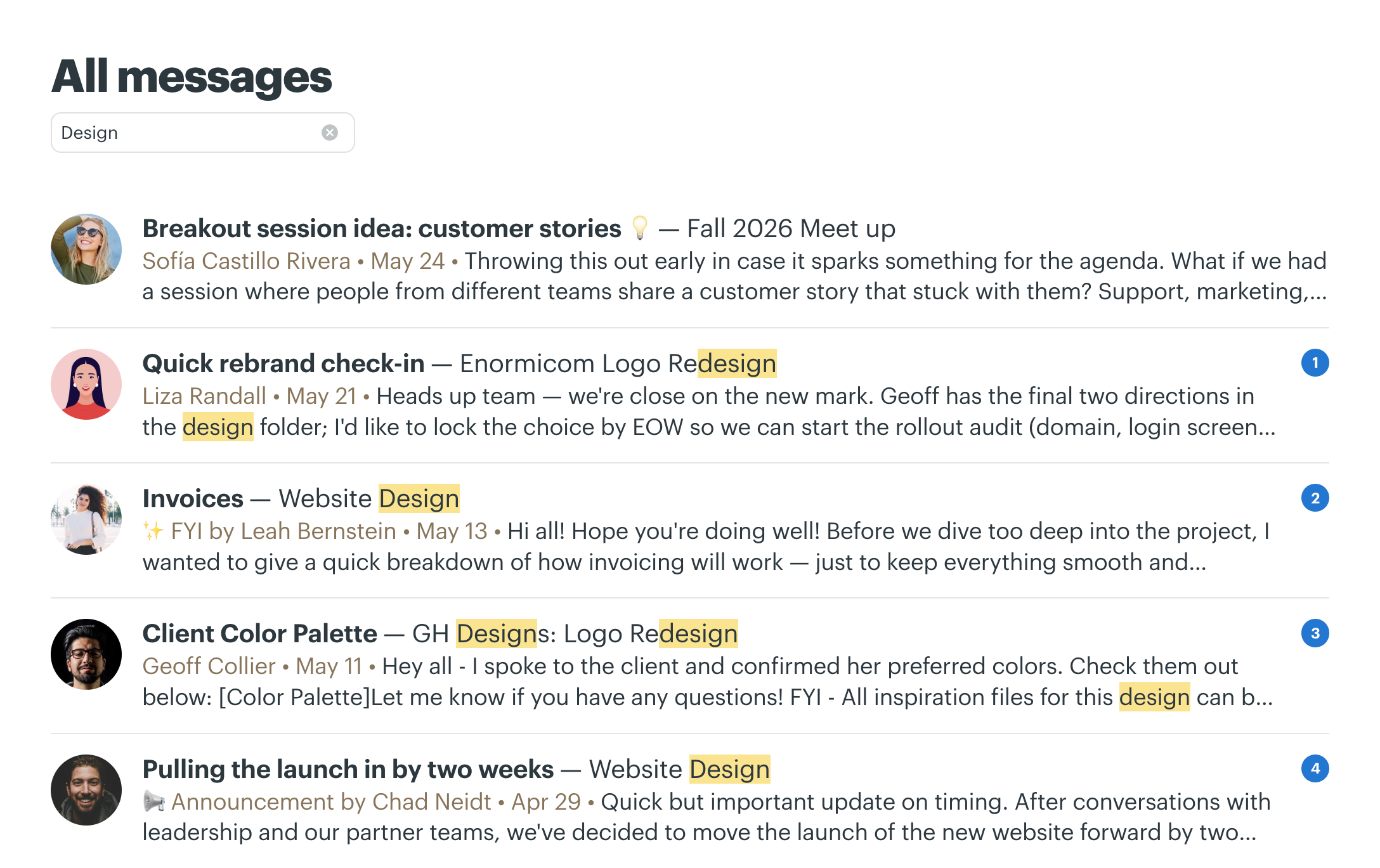
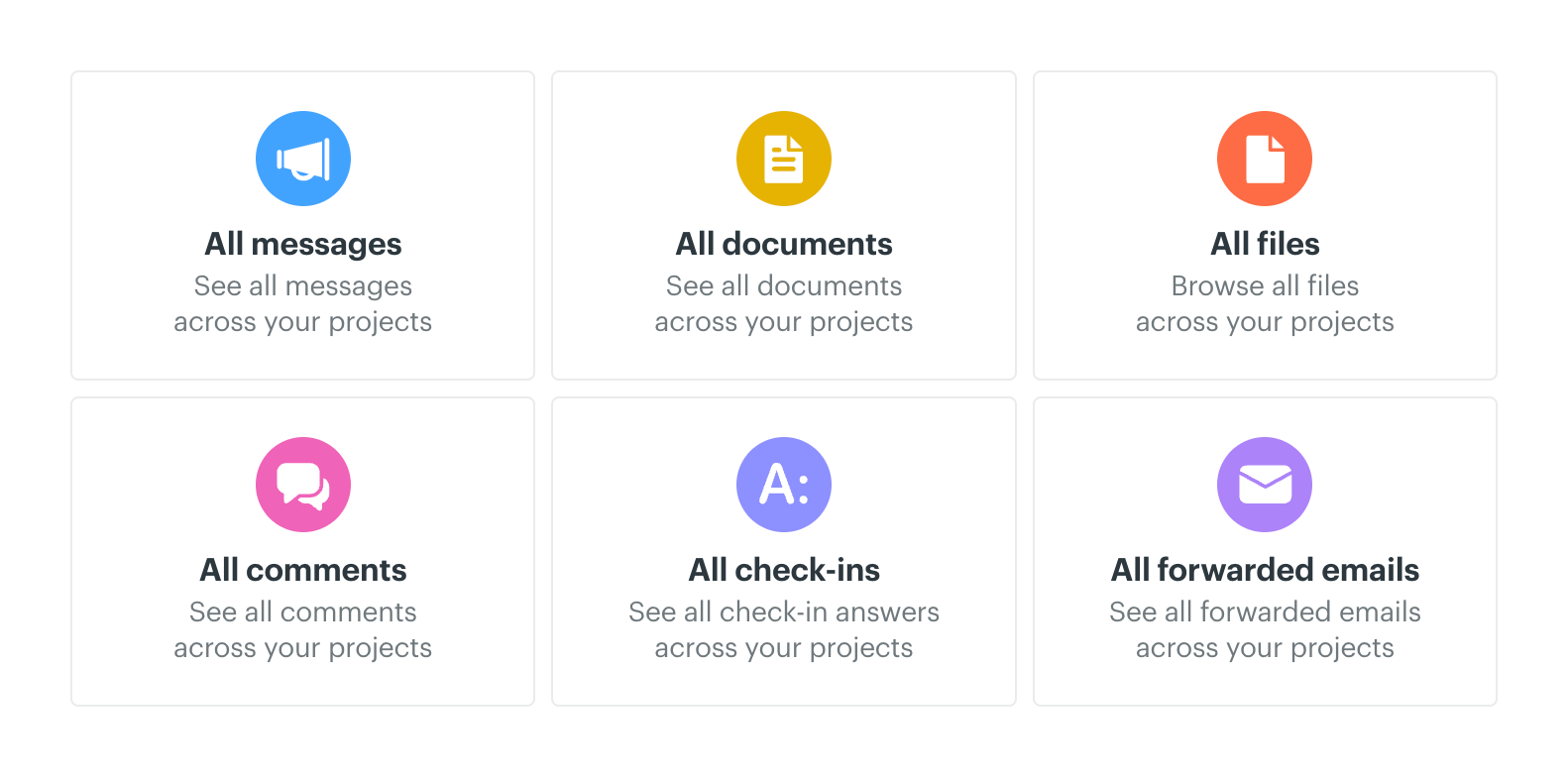
Know someone posted a message but not sure where? A file? Maybe a document? A comment somewhere? Now you can just go to the Everything page, pick “All Messages” and see a list of all messages posted to any project on a single page. Same for documents, comments, and more. Huge.
I LOVE what you’ve done with Basecamp 5. Thanks so much for all the improvements!Mahogany Lore
The new update is great! So many improvements. I love being able to open tabs at the top of the app using command click.Courtnee Carstens
1 day of usage & it is making my work day feel so much lighter. Loving all the new features.Wanda Whipkey
One universal menu to get anywhere from anywhere — fast!
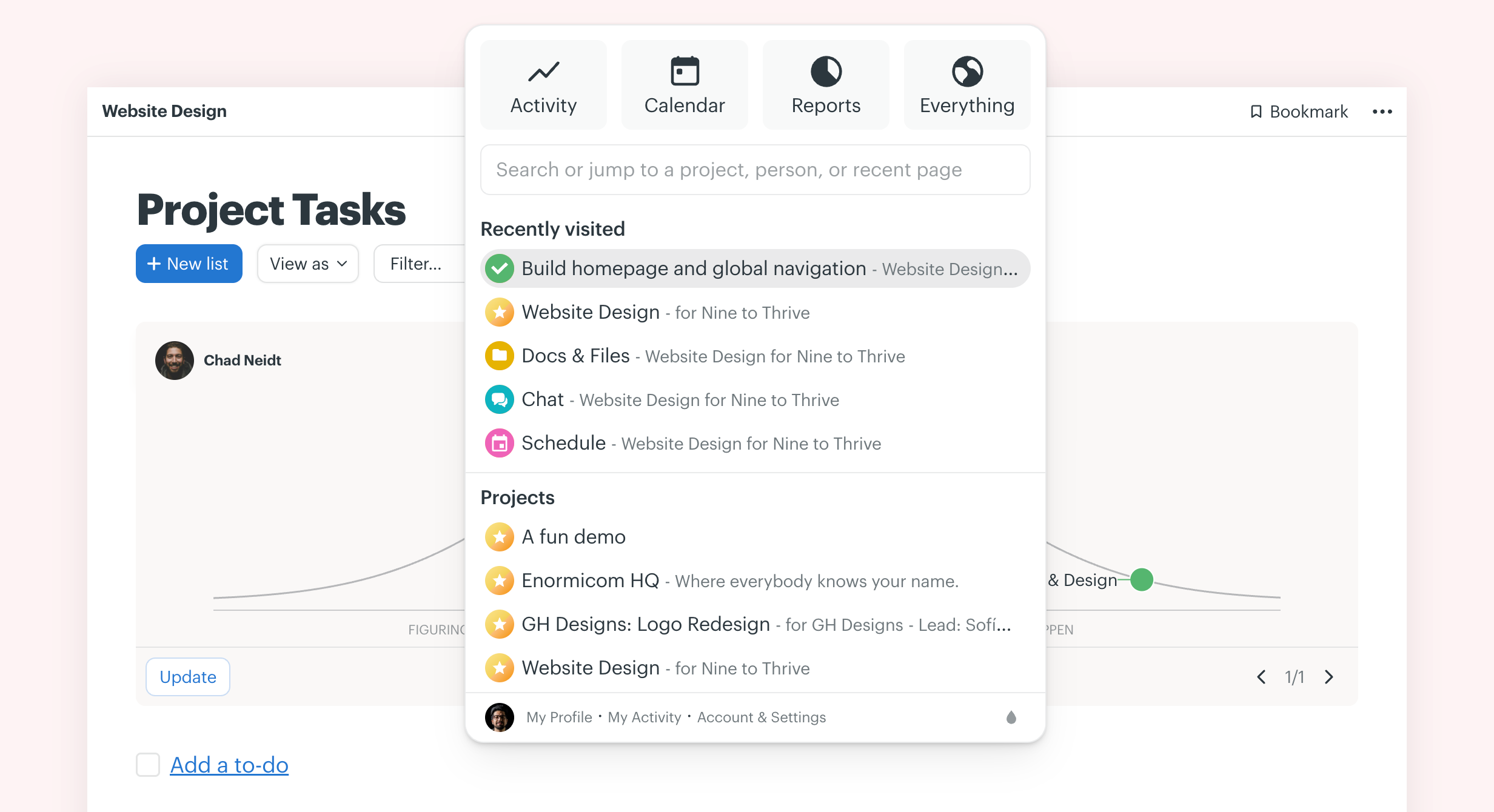
The all-new unified Basecamp menu at the top of the screen replaces a bunch of separate navigation links. Now you can get to anything — any project, any person, activity, the calendar, you name it — from anywhere. SHIFT+J on the keyboard pulls it up, and focuses the quick jump field, so you don’t even need to move the mouse to get around. A totally new way to get around — and it’s oh so fast! You’ll feel like you’re flying around Basecamp.
Keyboard shortcuts everywhere
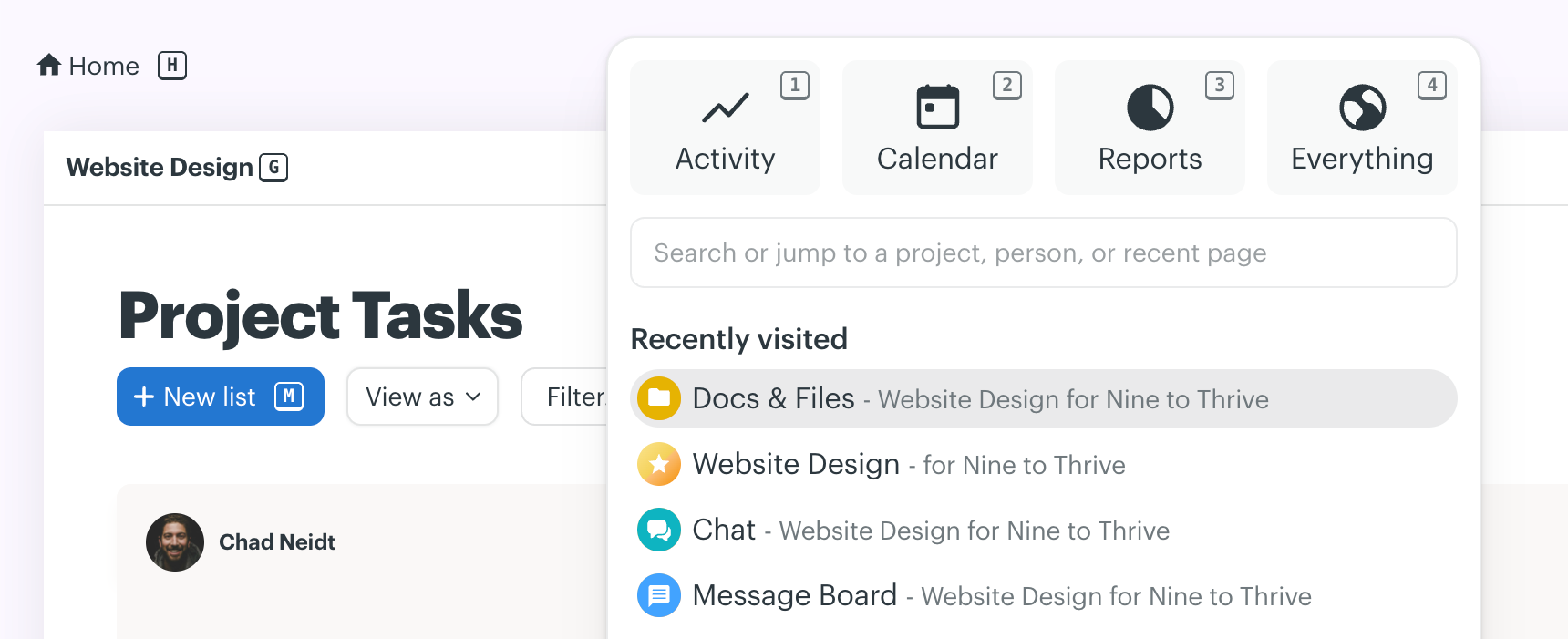
Hit SHIFT on your keyboard and you’ll see a bunch of little keys show up next to navigation elements. SHIFT+that-letter takes you right there, no mousing or clicking required. A huge level up for those who are keyboard proficient and love moving around software without the mouse. Open the sidebar with the keyboard. See your tasks with a keyboard command. Ping someone, pop the calendar, pull up latest activity, even see what someone else has been up to all without ever touching the mouse.
Sticky Edit & Save flow
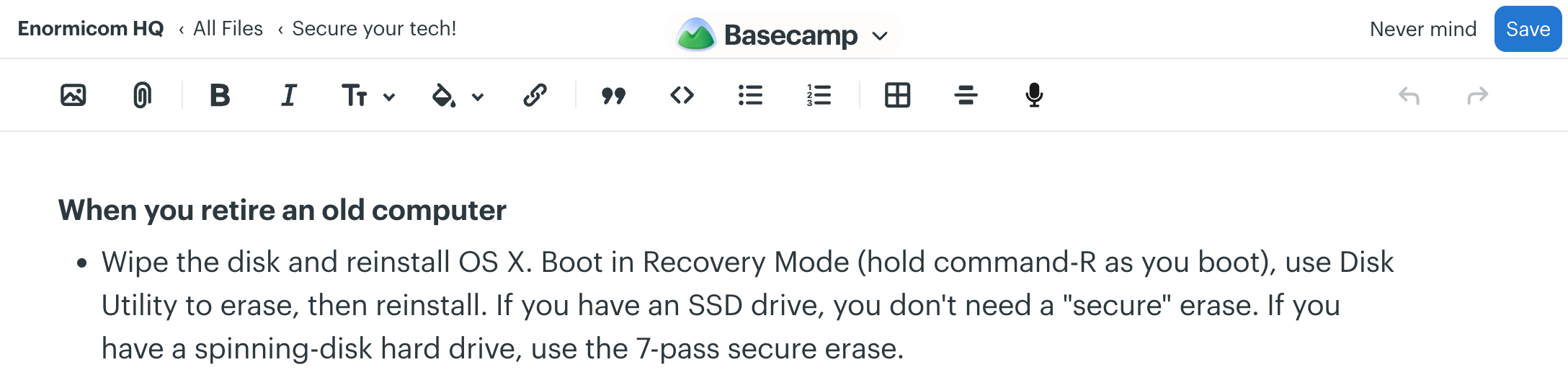
This seems like a small one, but it’s a huge experience improvement. Now the Edit and Save buttons stick to the top right corner of a page when you’re editing a document. You no longer have to go looking for that Save button at the bottom of a long document when you just needed to fix a typo at the top.
Personal notes just for you
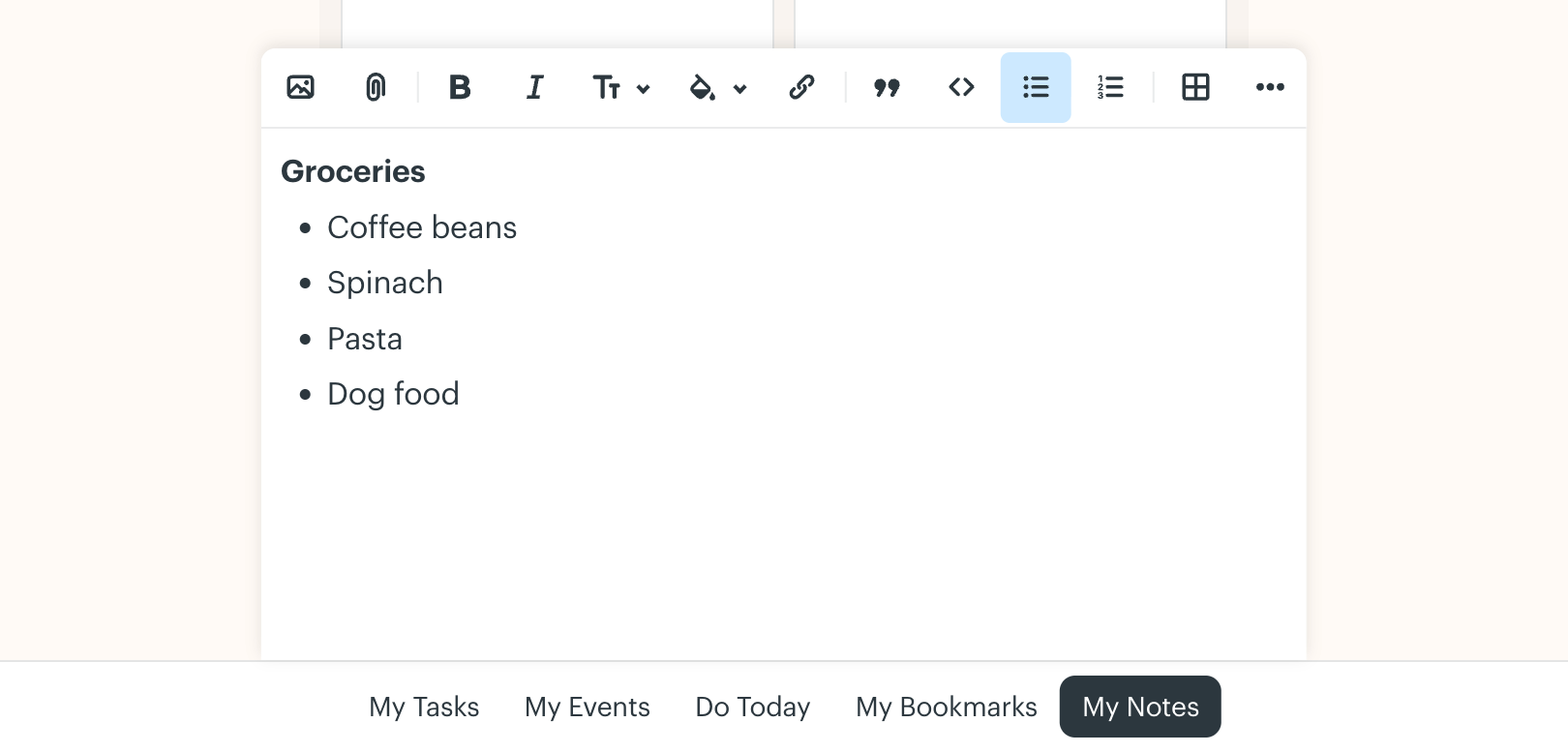
A new “My Notes” option in the new “My Bar” gives you instant access to your own personal scratchpad. Jot stuff down, take live notes, make a few to-dos for this afternoon, drop in a file you might need later, even record a voice note for yourself. While Basecamp is a collaborative tool, this is your own little place in Basecamp.
Woo hoo! Great job! I went home last night way more relaxed and it’s because of all that is in the new Basecamp 5… especially what you’ve done with Pings and Notifications!Paul Schneider
I really love the new features and navigation of Basecamp 5. Basecamp continues to exceed my expectations and be my favorite business software to work with. I’m loving Bubble Up as well as the option to have public links on documents. Very helpful for working with my clients’ customers.Amanda Jensen
Just wanted to drop a message to express how impressed I am of BC5. It really is a great leap forwards and the bold UI decisions taken, really add to productivity a lot! Well done, congratulations! I love being a BC user!Tom H. Lautenbacher
Completely revamped activity view
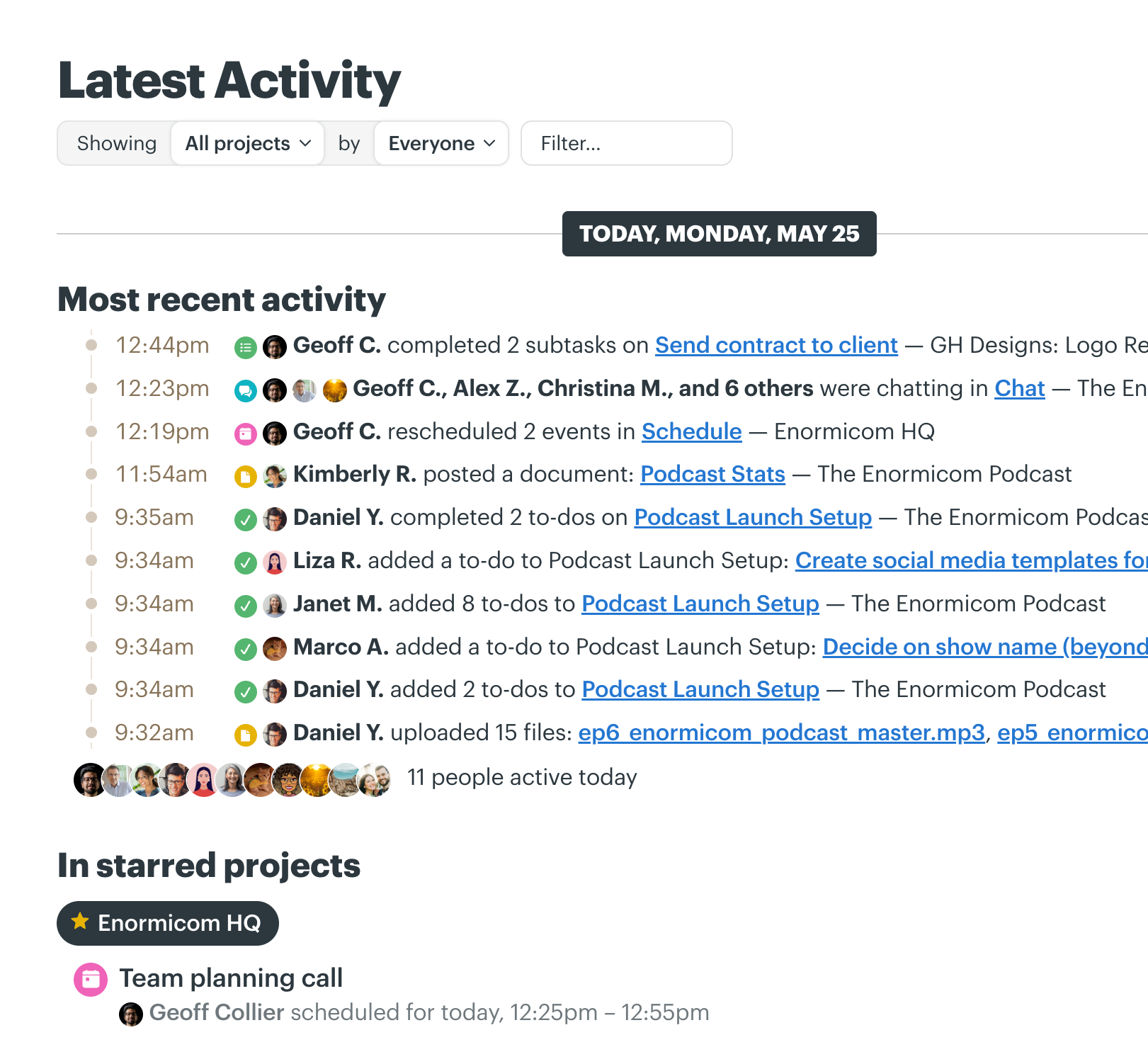
This is a massive upgrade. We totally revamped the activity view to make it much easier to follow all activity across your account, just for a single project (or group of projects), or even a single person (or a group of people). Now everything is neatly organized around topics, each action clearly attributed, the latest stuff time-stamped, and all presented in a new easily-digestible format.
Modernized project page design
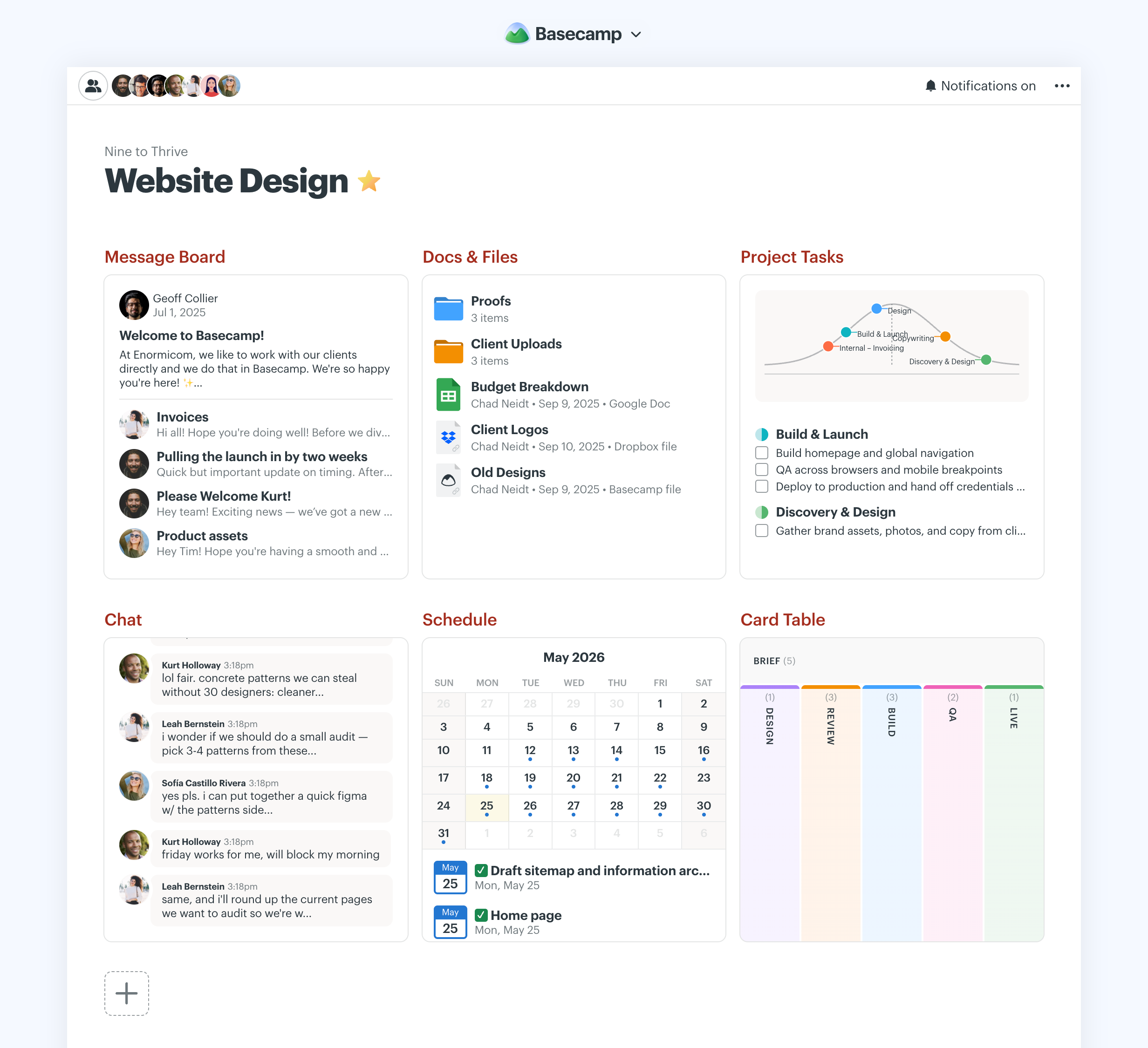
Basecamp’s famous toolbox-based layout remains the same, we just updated the design. It’s fresh, but familiar. Better use of space, tighter layout, more information density, lots of subtle tweaks add up to a significantly better, more modern display of information. A new latest activity block at the top gives you a quick answer to “What’s been happening here lately?” the moment you hit the project. We also grouped external links in their own section at the bottom for a more organized presentation. The new + button lets you add new tools right from the project page so it’s easier to customize each project with whatever it needs.
Radically simplified new project customization flow
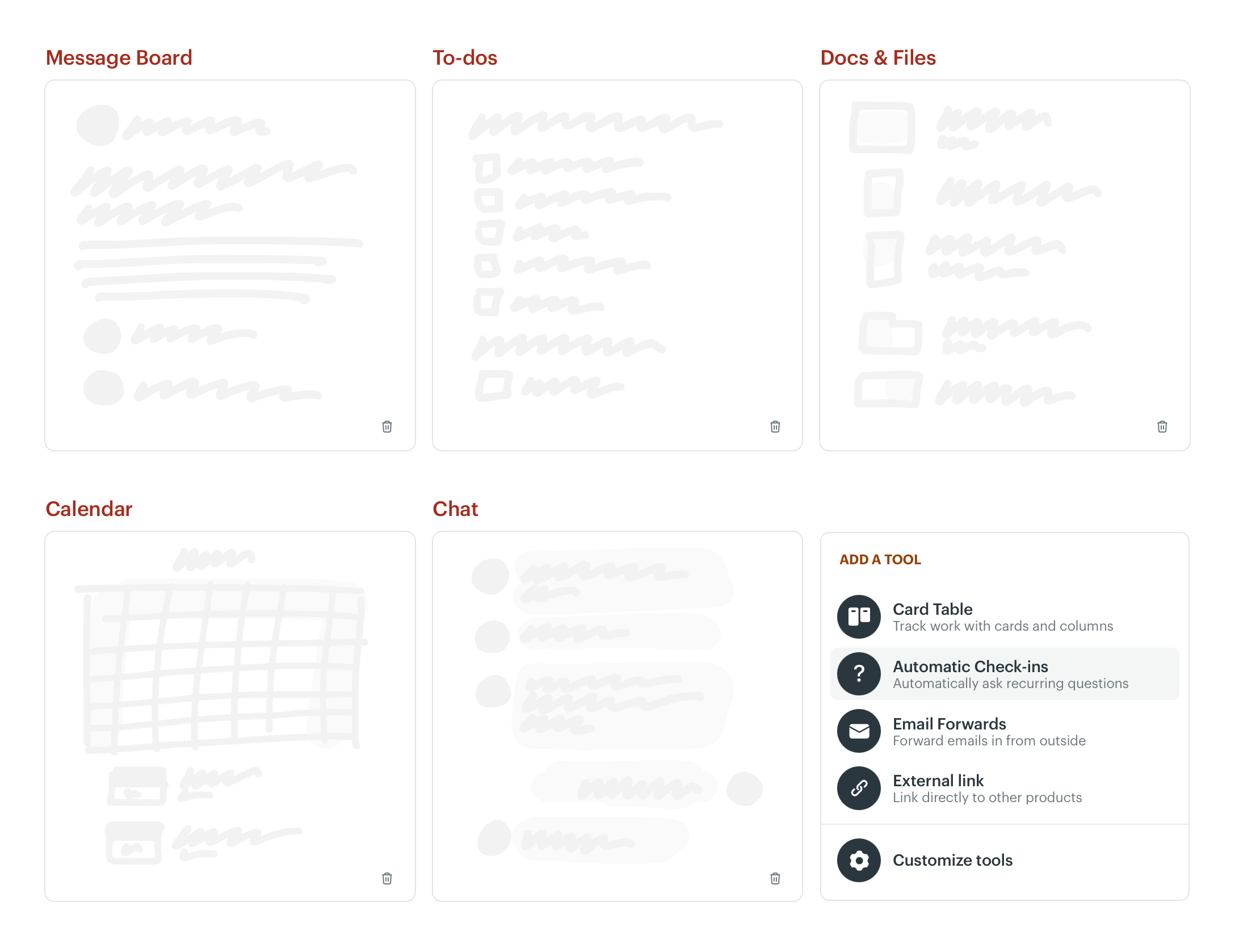
What used to be a multi-step process with a bunch of fiddly little links and too many choices has been totally redesigned from the ground up. Way simpler, considerably faster, and more focused on helping you make quick progress. No more having to figure it all out ahead of time, just add tools later as you need them. A significant improvement to a fundamental flow.
Project icons, avatars, and logos
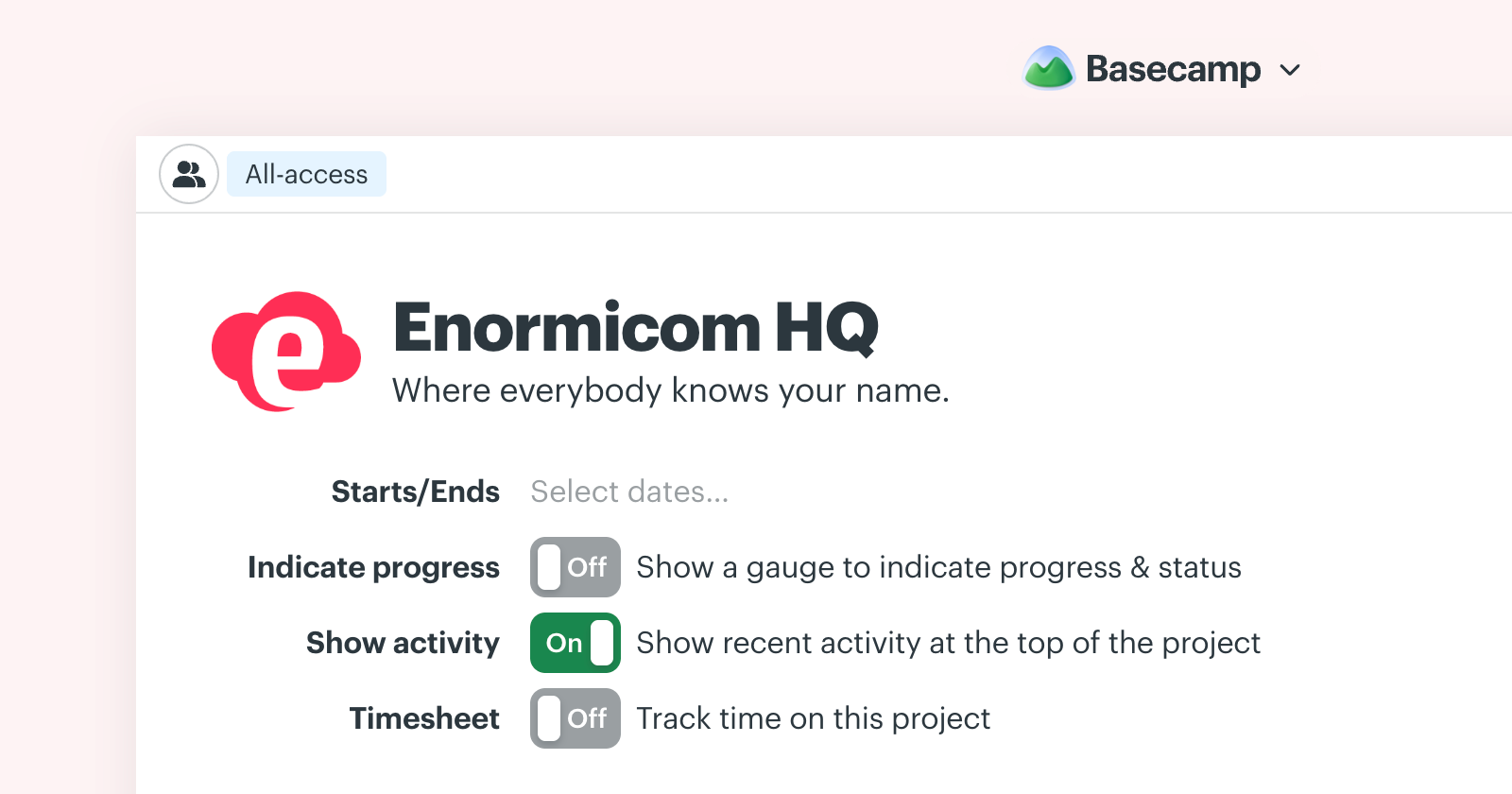
A small one, but a neat one to help you differentiate projects at a glance. Now you can give each project an avatar, icon, or logo. Great for client projects where you want to add the client’s logo to the top of the page. Very flexible.
Basecamp 5 is lovely. I love the new direction, and the new iOS app feels fantastic. The speed is so much better here in Sweden.Viktor Bijlenga
Great work with Basecamp 5! It looks leaner and helps me keep focus a lot. I definitely love the notification sidebar, the new My Bar and the option for subtasks.Dominik Kammerer
New design is fantastic. Chef’s kiss!Jason Comely
Simplified invitation process
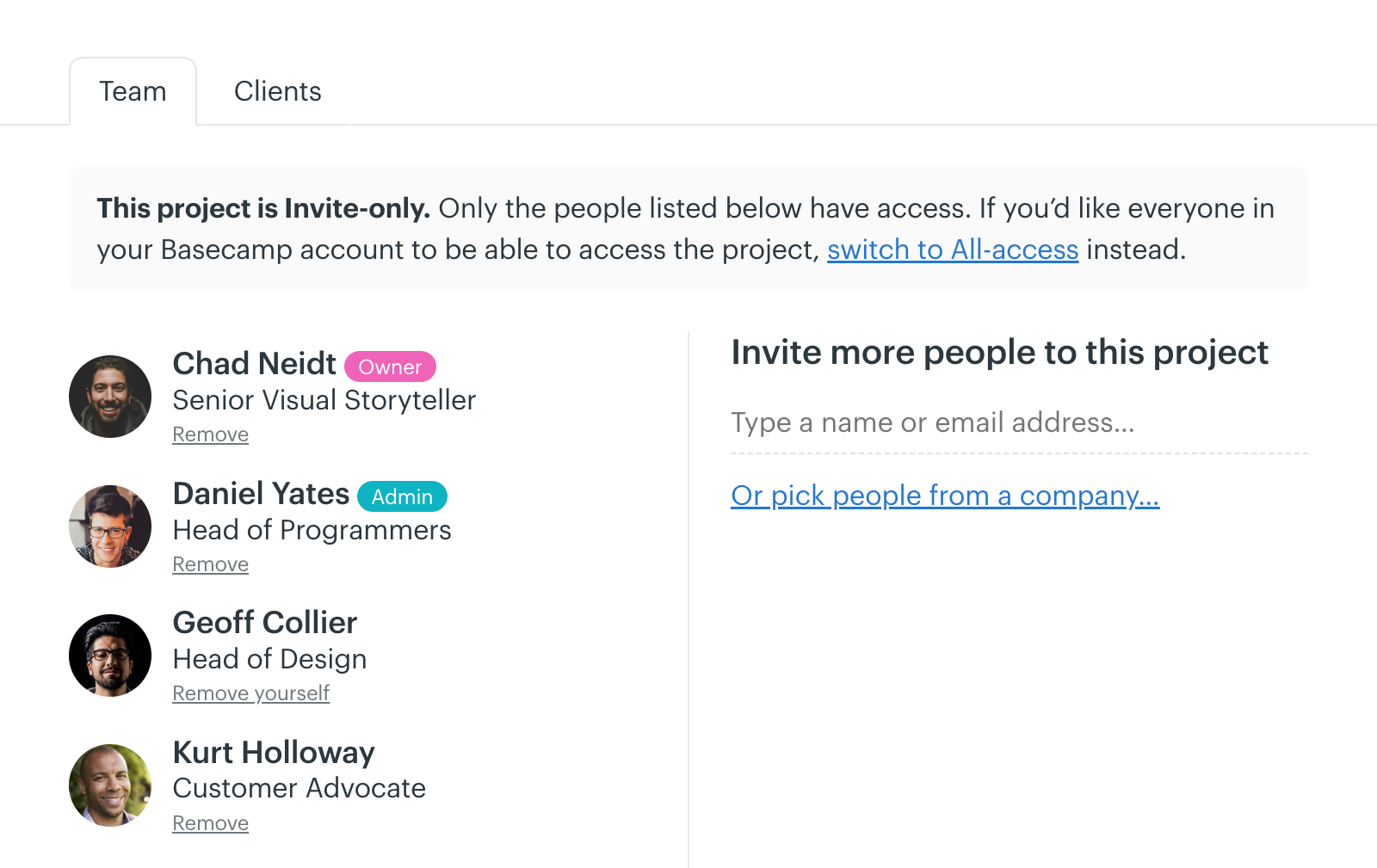
It used to be that if you wanted to add someone to a project, and they were new to your account, you first had to add them at the account level. That meant leaving the project, going to the global level, inviting them, then giving them access to the project somewhere else. It worked, but it was quite clunky. Now you can just enter their email address from within the project. They’ll be emailed an invite and added to the project instantly without you ever having to leave the project. This is one of those little improvements that feels like a major level up. What was a hassle is now a pleasure.
Simplified Docs & Files layout and structure
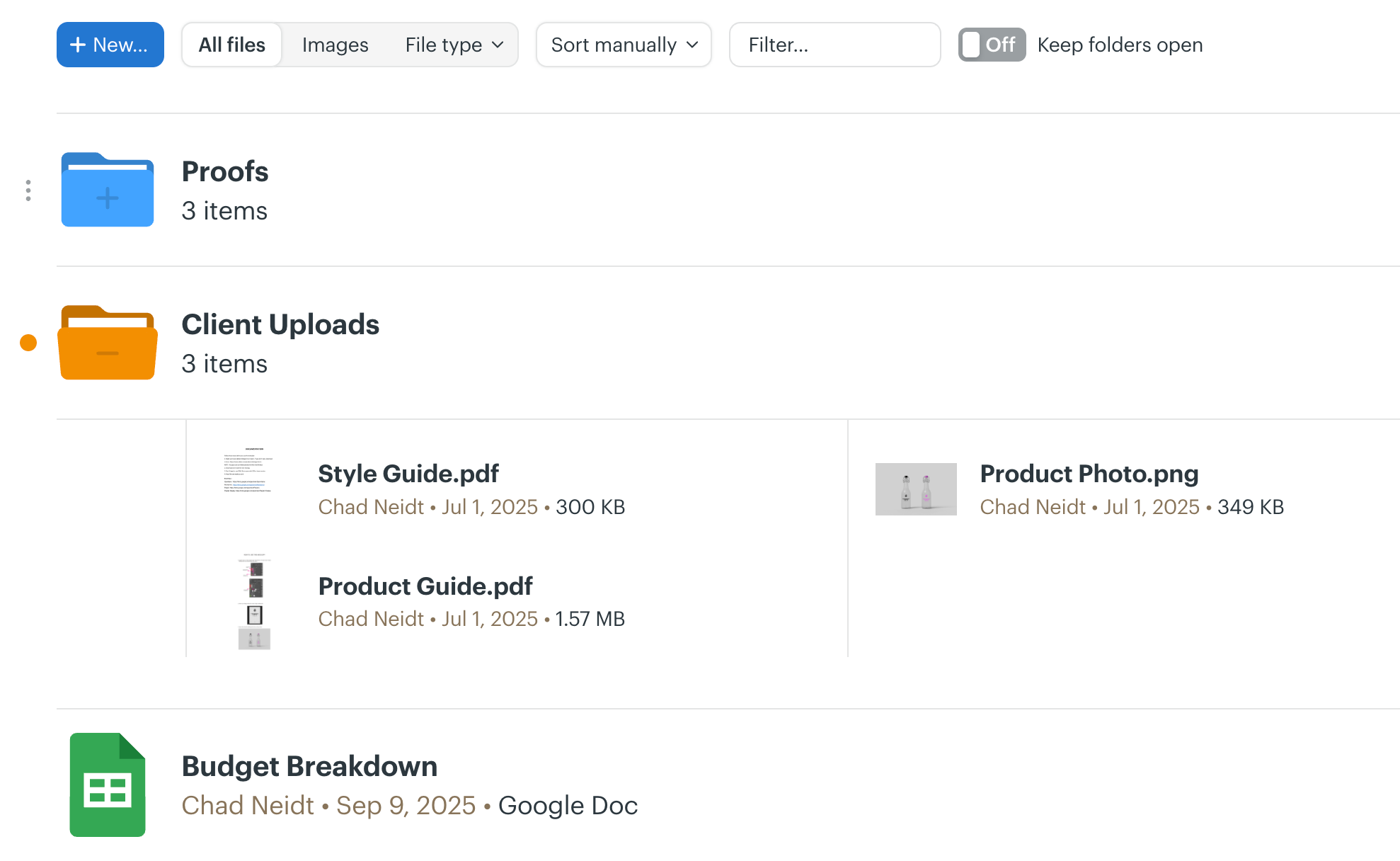
Docs & Files, the place to put files, documents, link out to cloud files (Figma, Google Docs, Dropbox, etc), got a major simplification. We’ve morphed two different views into a single view with better previews, the ability to peek into folders without having to fully open them, made multi-selection much easier, improved filtering and sorting by type, and a number of other enhancements.
Much improved to-do list layout
We’ve majorly cleaned up to-dos. In addition to adding a new loose to-dos block to the top, and adding subtasks to individual to-dos, we’ve revamped the metadata displayed after each to-do, improved data density, made it easier to edit existing to-dos, dialed back some elements while enhancing others, tweaked the design so it’s more focused on what’s left to do rather than what’s been done, added the ability to hide completed lists so they’re out of the way, added live instant filtering, cleaned up Hill Charts, and a number of other spacing and layout improvements.
Revamped colors
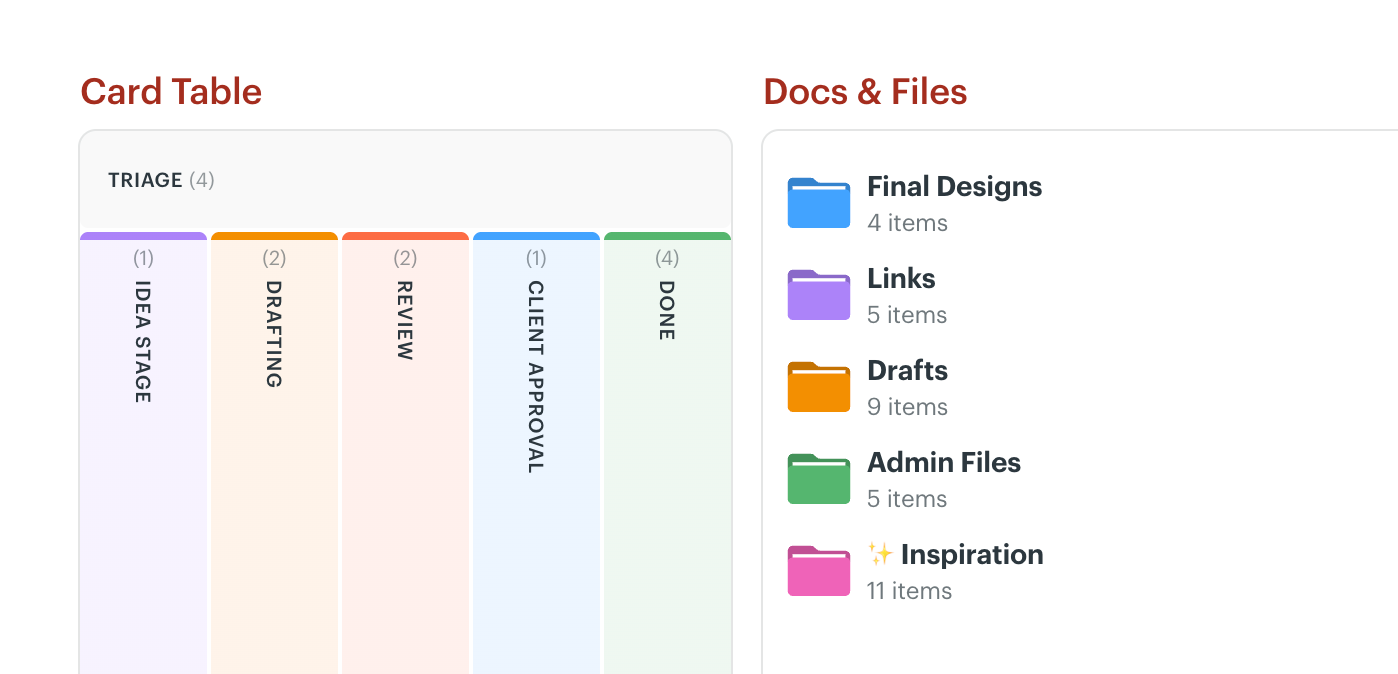
Basecamp 3 and 4 piled up a bunch of different colors in different places. Some worked together, some didn’t, but ultimately there were too many and they didn’t feel cohesive. Basecamp 5 revamps the colors on offer, redefines the general palette, and brings a harmonious consistency across calendars, folders, Card Table columns, and backgrounds.
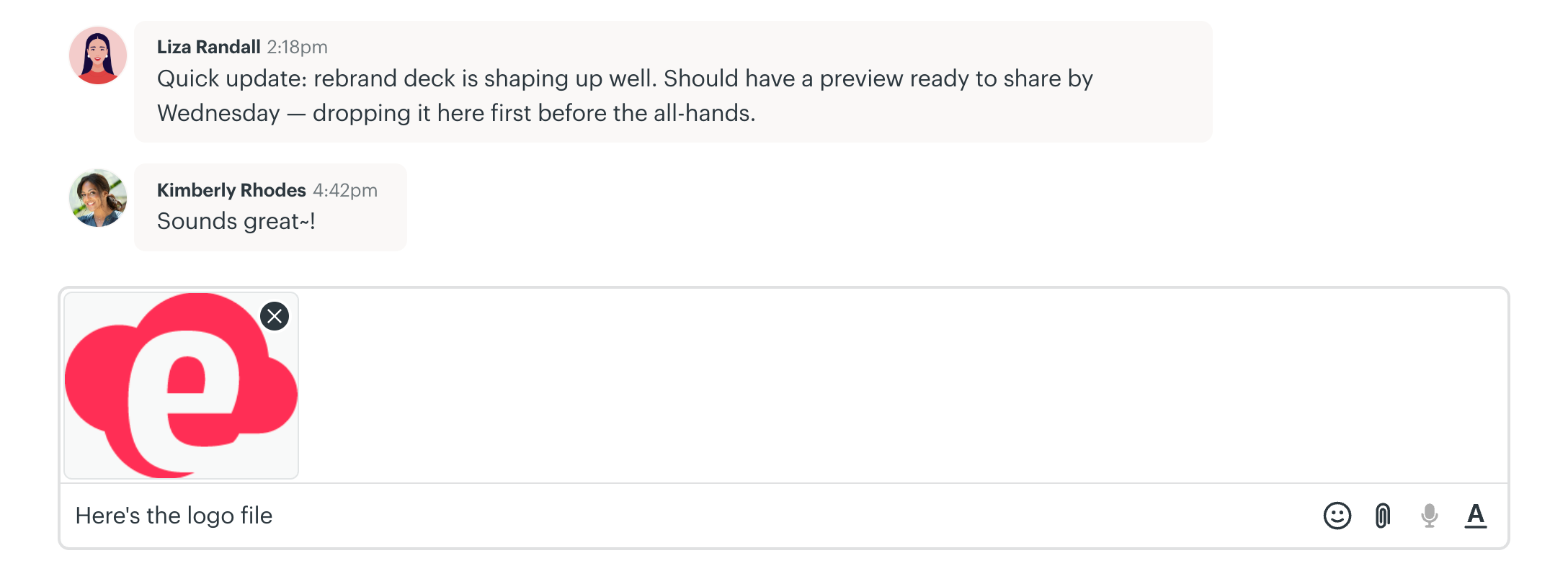
Preview images before uploading in chat and pings
Now when you add images to a chat or ping, you’ll be able to submit both the images and text together as a single package. Images (and videos) will be previewed as thumbnails above before submitting. This way you can share an image and describe it in the same entry in a chat or ping rather than have to do one before the other.
I would love to start with how much I love the new Basecamp 5… especially the Desktop App. The main fact is that I can see so many things at once and it’s easier to get from one place to the next! Kudos to the team for all their hard work and thoughts that went into it.Tina Alexis
BC5 is SO much more user friendly than BC4. I’m thrilled with the new features and layout — they’ve made lots of changes that I’ve been wishing for since I started using it in… 2018? Great program. Great app. Love.Kayla P Funk
Love the upgrade to BC5. Watching the walk through before launch was really helpful — both in previewing the product but also explaining some of the reasoning. There are things in BC5 that we wanted but didn’t know we wanted. Very cool.Jonathan Sherwin
And a whole lot more…
Nearly every screen has been revisited, optimized, cleaned up, simplified, and sped up. Things that took two clicks may now just take one. Stuff that required a deeper dive is now right on the surface. You’ll see fresh takes everywhere while still keeping things familiar for those who’ve used Basecamp for years.
On top of everything visual, there are deep infrastructure upgrades, performance improvements, and structural changes which will make further improvement and enhancements easier and faster. Basecamp 5 is a comprehensive overhaul that sets Basecamp up for the next dynamic decade ahead.