We launched Basecamp 5 roughly 48 hours ago and it’s been a whirlwind. We can’t thank all of you enough for reaching out with your questions, bugs, excitement, and frustrations. It’s all enormously helpful. We build Basecamp for you and your passion is infectious.
Our team is completely focused on answering every question and continuing to make Basecamp better. We’ve shipped over a hundred improvements, fixes, and polish so far, most of it thanks to the issues and ideas you’ve shared.
Here are some highlights…
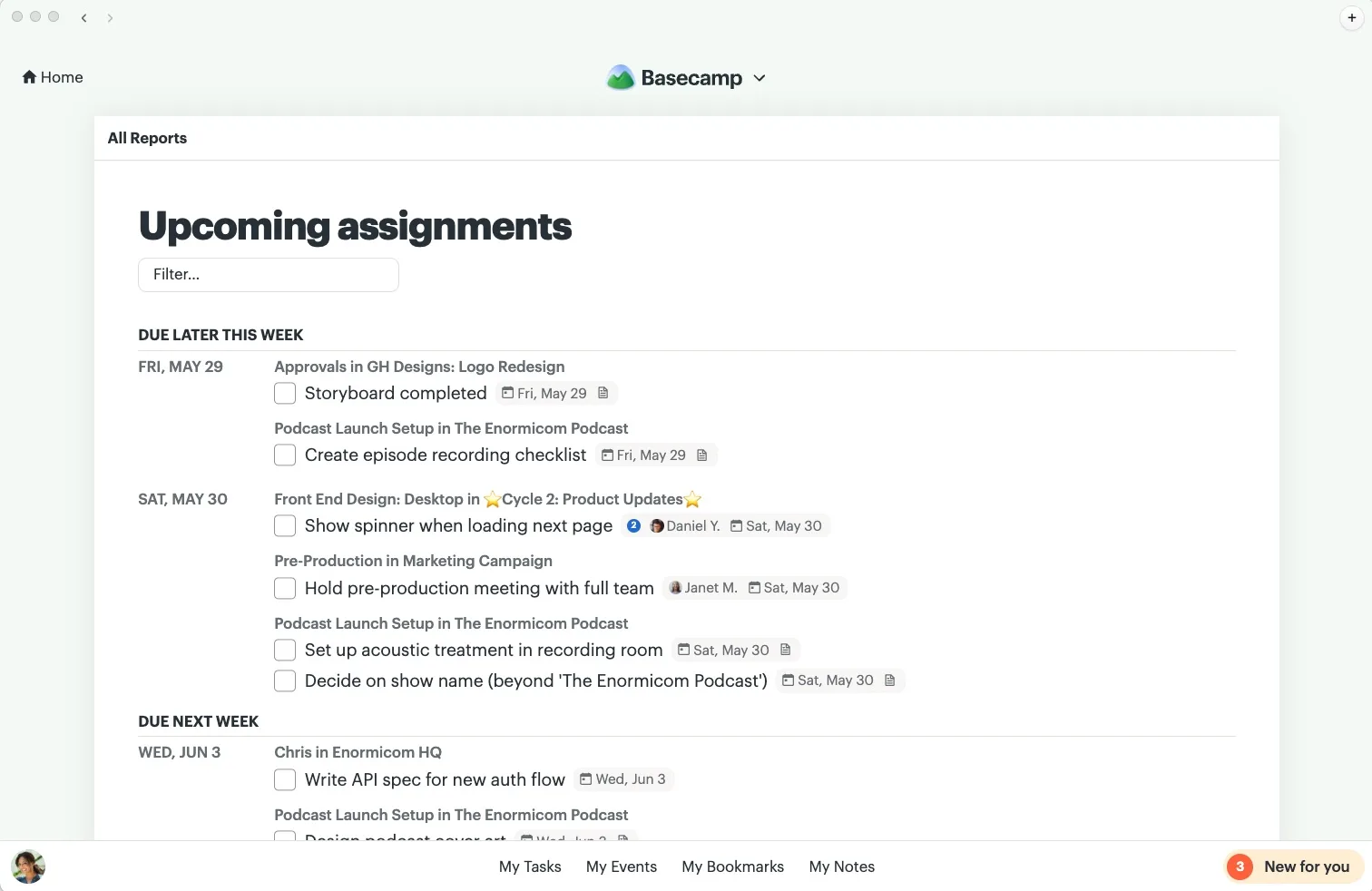
New: Upcoming assignments report. Basecamp 5 has a beautiful new calendar, but we know many of you relied on the Upcoming dates report to see what work is due soon. Upcoming assignments shows you cards and to-dos across all of your projects that have a due date.
New: If you’re only on one project, that project is where you’ll start when you visit Basecamp. Everything you need is right there. You can still get to Home, of course.
Improved: We made it easier to get to your full list of projects (including archived ones). Just click See all in the menu.
Improved: Creating folders on the home screen and rearranging folders and projects is smoother.
Improved: There were a few places where text was a touch too small. We’ve bumped it up and will continue to dial it in elsewhere.
Improved: Performance has been proved in many places, especially the Activity page. If you have a lot of people, projects, and activity, it should be much better for you.
Fixed: We brought back the option to sort Docs & Files by when something was updated.
Fixed: We also brought back sorting Messages alphabetically.
Fixed: When assigning someone work, you can decide whether to notify them.
Fixed: There were a few places where to-dos were shown, but didn’t include which project they were from. We patched that up.
Fixed: You can choose a start date when creating a project from a template again.
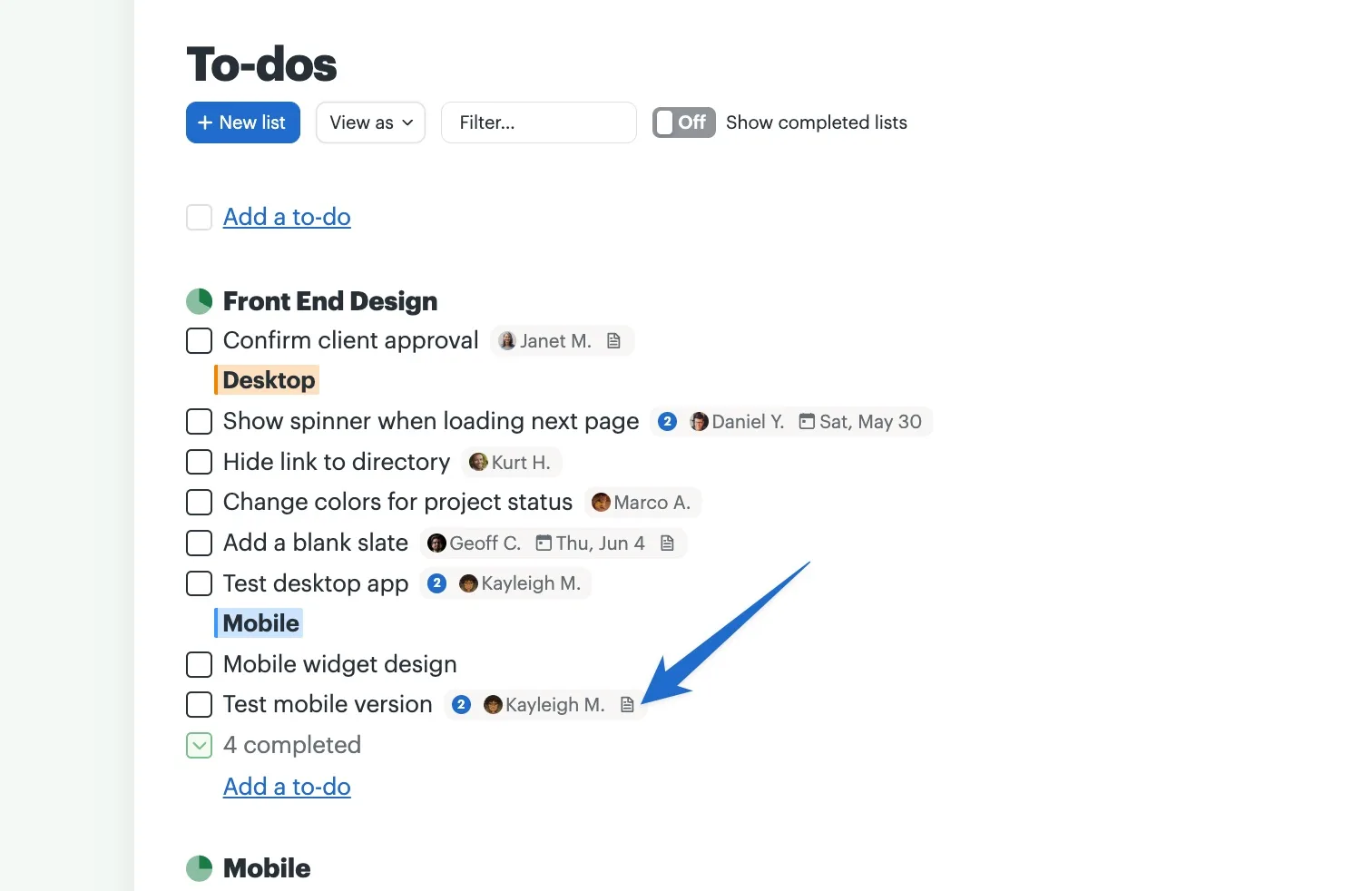
Fixed: You’ll now see a handy icon on any to-do that has a note.
Our iOS, Android, and desktop apps have also received multiple updates with fixes, polish, and performance tuning. Much more is on the way, including easy access to your drafts, boosts, and more.
Please keep the feedback coming — questions, bugs, and everything in-between. Reach out to support@basecamp.com or click the link in the bottom left corner, just above your avatar.