We’ve updated the project settings so account owners, admins, and project creators can choose how people are notified. If someone doesn’t need every update, set that from the start instead of having them sort through needless notifications later.
Click the people icon at the top left of a project. Find the person in the list and click the notification setting to make adjustments — either notifying them when new things are posted or only when they’re @mentioned or already part of a discussion.
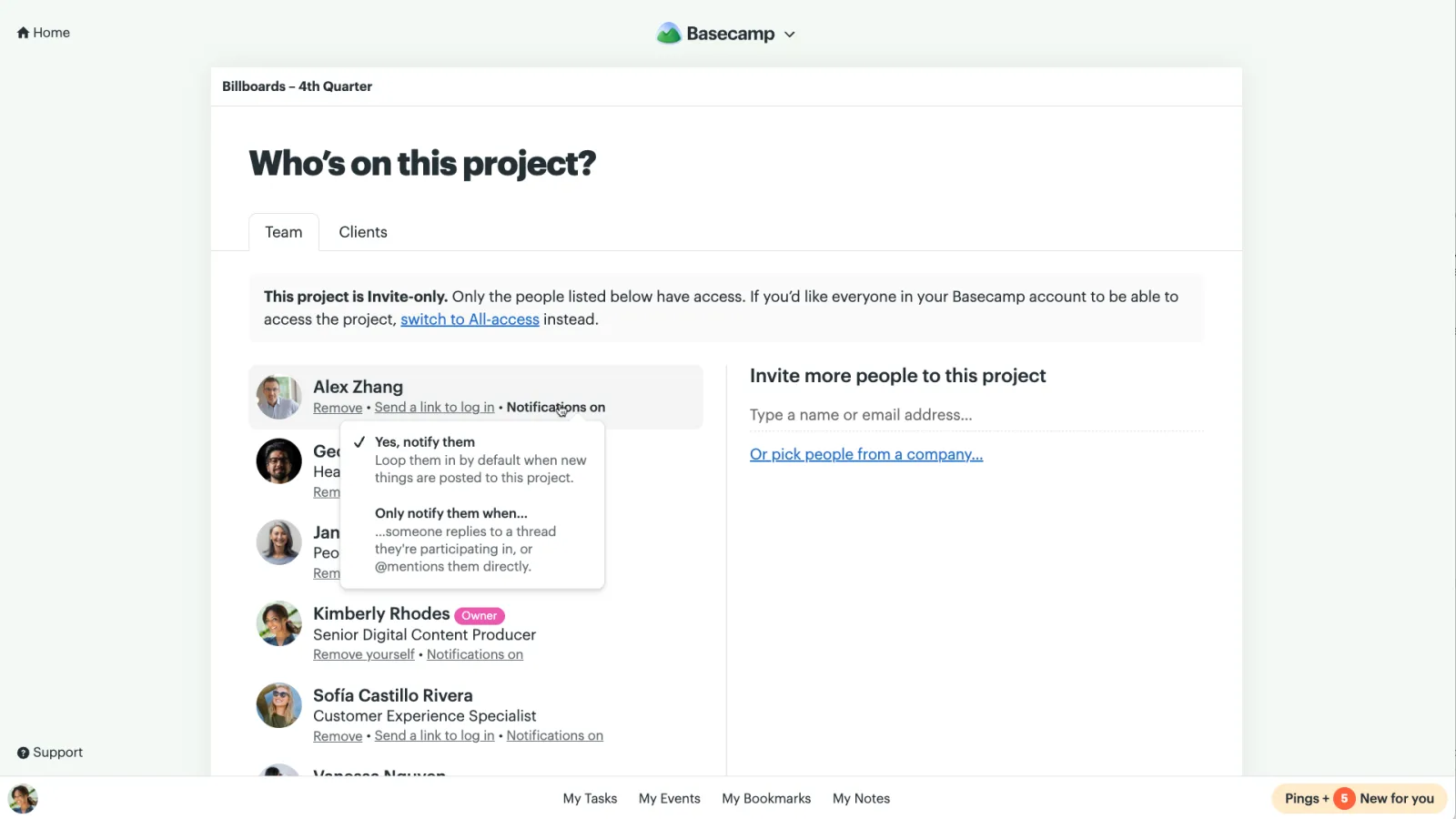
Everyone on the project can still adjust their own notifications, but it’s now easier to keep things quiet for those that don’t need every update.