The other big change is that unread pings are moving into New for you. Instead of keeping unread pings in their own section at the top of your sidebar, you’ll now see them alongside your other notifications. All your new activity is in one place.
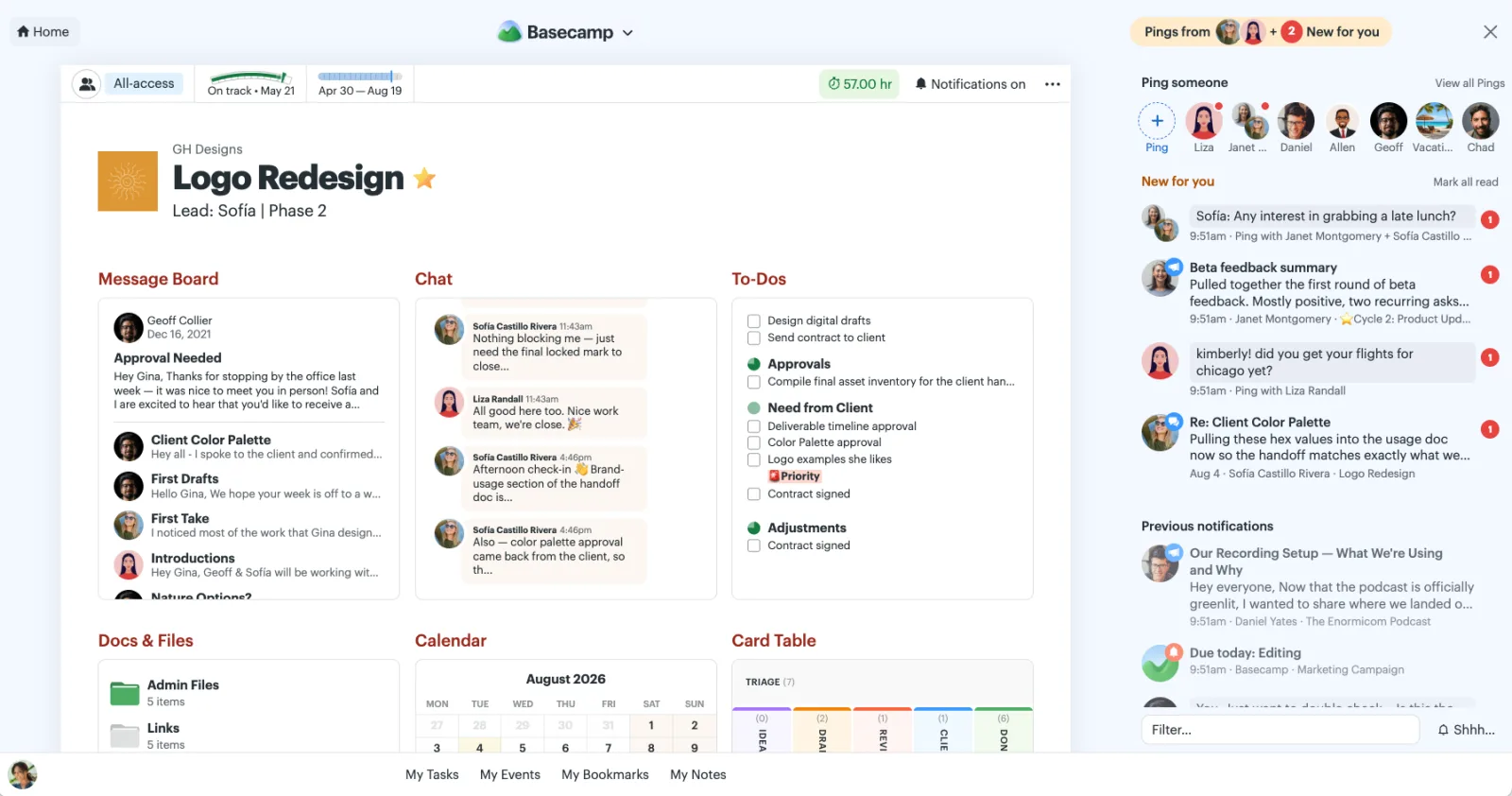
Now, when something is new, it shows up in New for you. Whether it’s a ping, an @mention, or another notification, there’s just one place to check.
There are a couple other nice improvements, too. Once you read a ping, it’ll move into Previous notifications, making it easy to find again later. Click ••• on a previously read ping to mark it unread, sending it back up to the New for you section.
You can even choose how your New For You list is sorted. Keep your newest notifications at the top, or always show pings first. Click the New for you header to adjust the toggle.
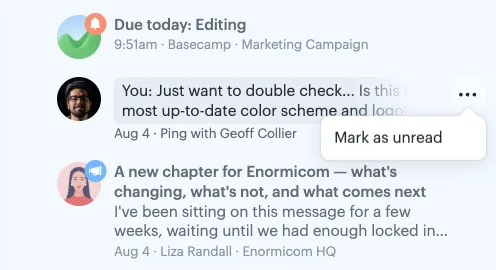
Click ••• on a previously read ping to mark it unread
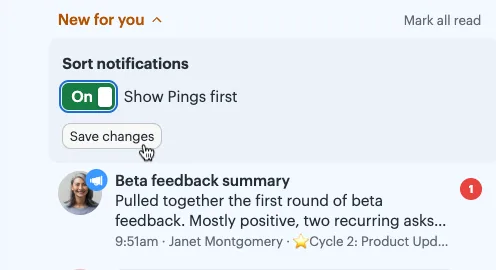
Click New for you to reveal the sorting options
I made this short video to show you the before and after of these changes. Give it a watch before the updates arrive tomorrow.
We hope these updates make it easier to keep up with everything that’s new in Basecamp.